 BTGuard
Tixati
Setup Instructions
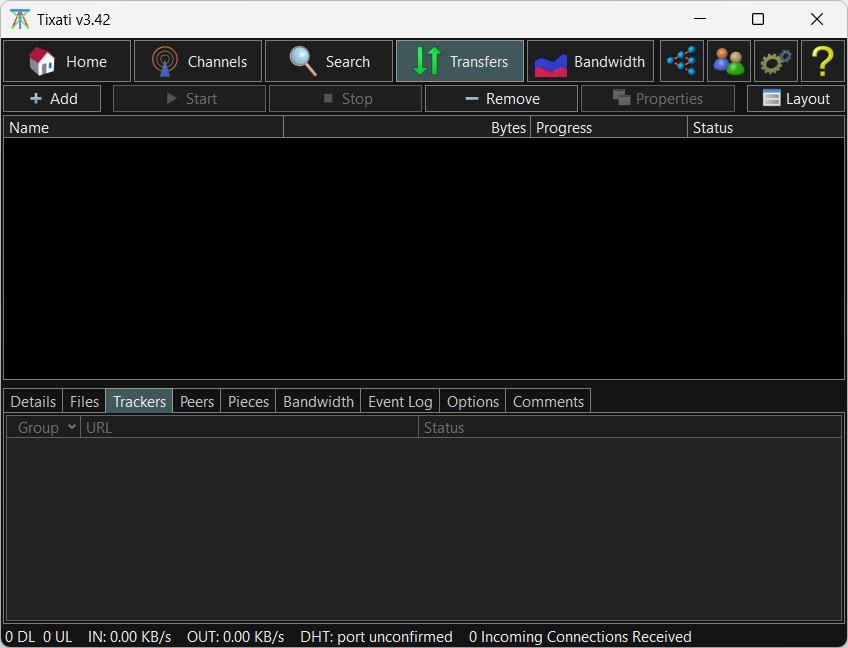
- 1. Download Tixati
- 2. Go to Settings
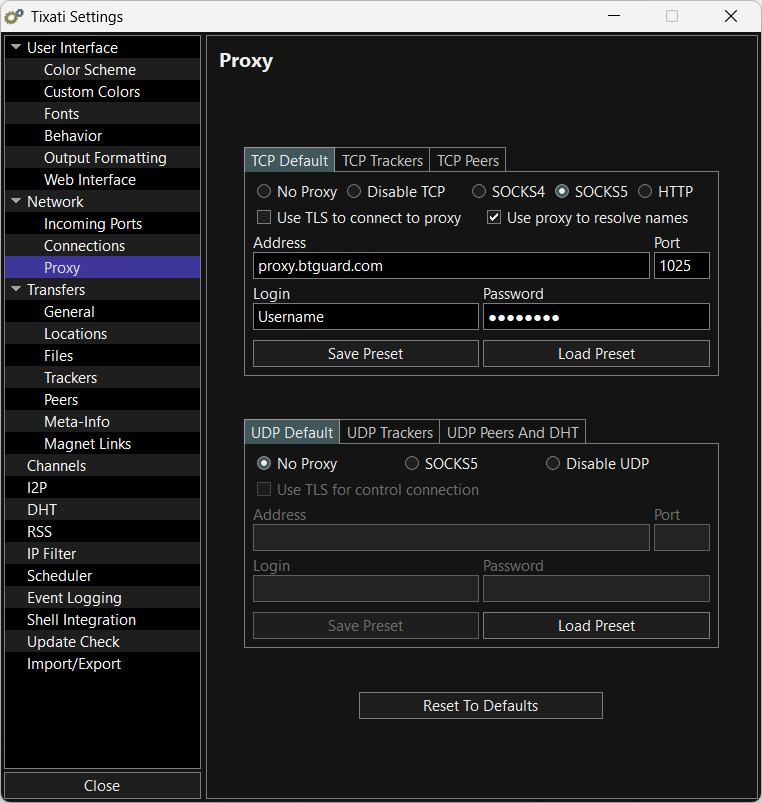
- 3. In the left menu, click on Network then Proxy.
- 4. On the right side, click on the TCP Default tab
- 5. Checkmark SOCKS5
- 6. Checkmark Use proxy to resolve names
- 7. Enter the following information:
Address: proxy.btguard.com
You can also try with eu.btguard.com or fix.btguard.com or ca.btguard.com
Port: 1025
You can also try with port 80
Username:
Password:
Both username and password are case sensitive. Make sure not to add/forget Capital Letters. - 8. Click on Save Preset
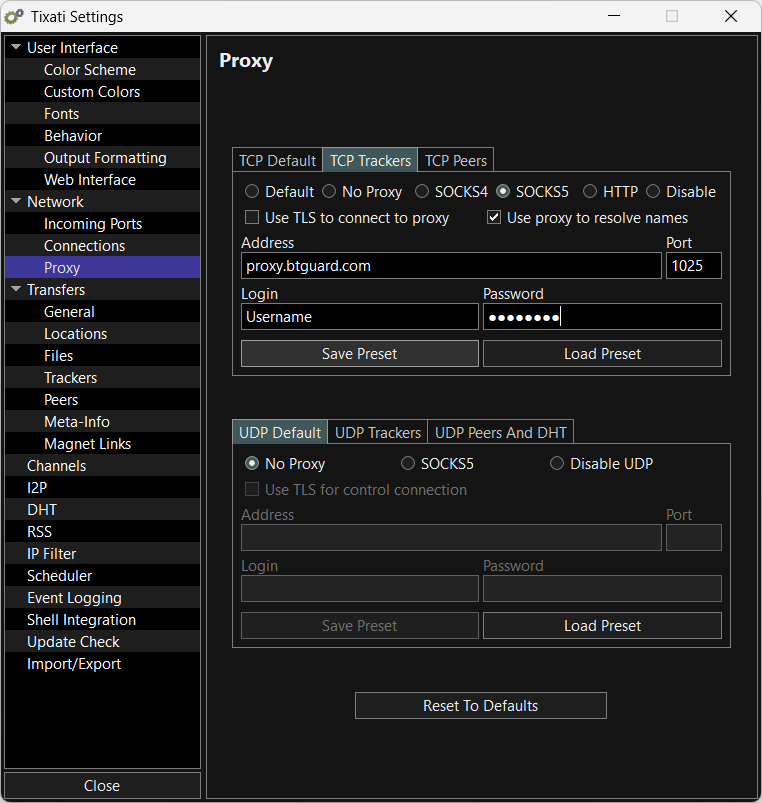
- 9. Click on TCP Trackers and repeat steps 5 to 8
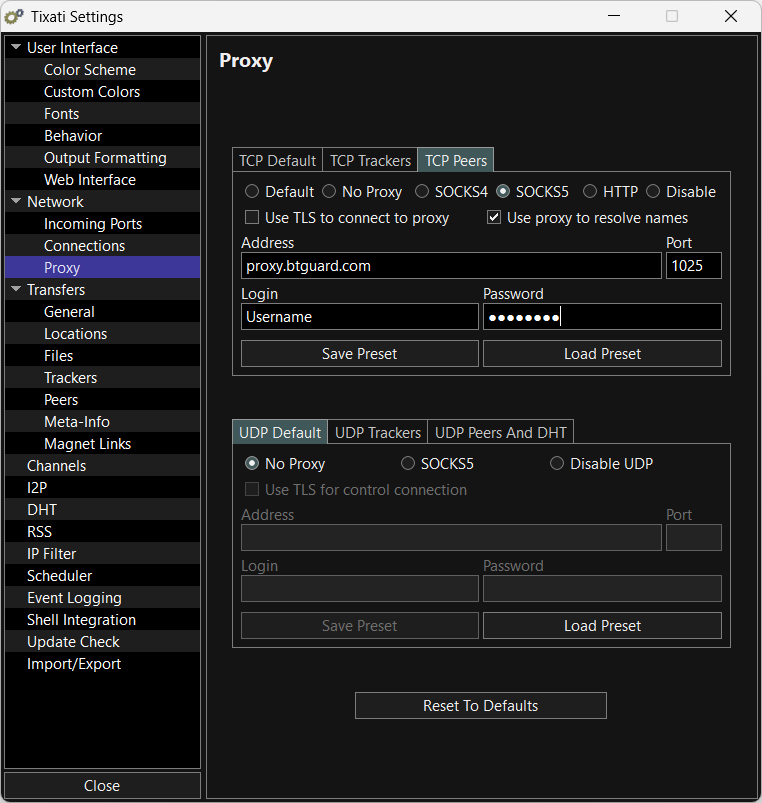
- 10. Click on TCP Peers and repeat steps 5 to 8