 BTGuard
BiglyBT
Setup Instructions
- 1. Download and install BiglyBT
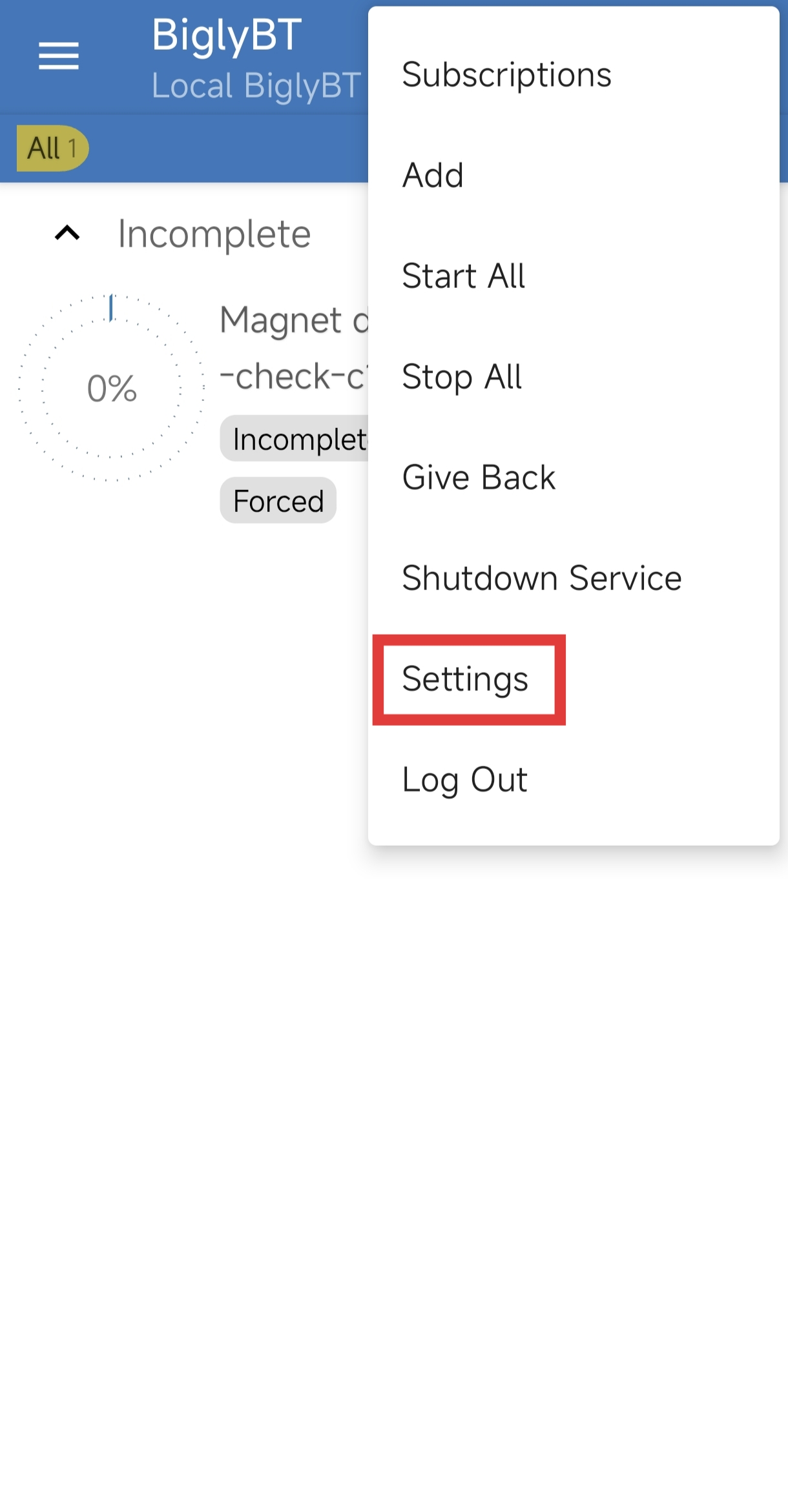
- 2. Go to the top right menu and select Settings.
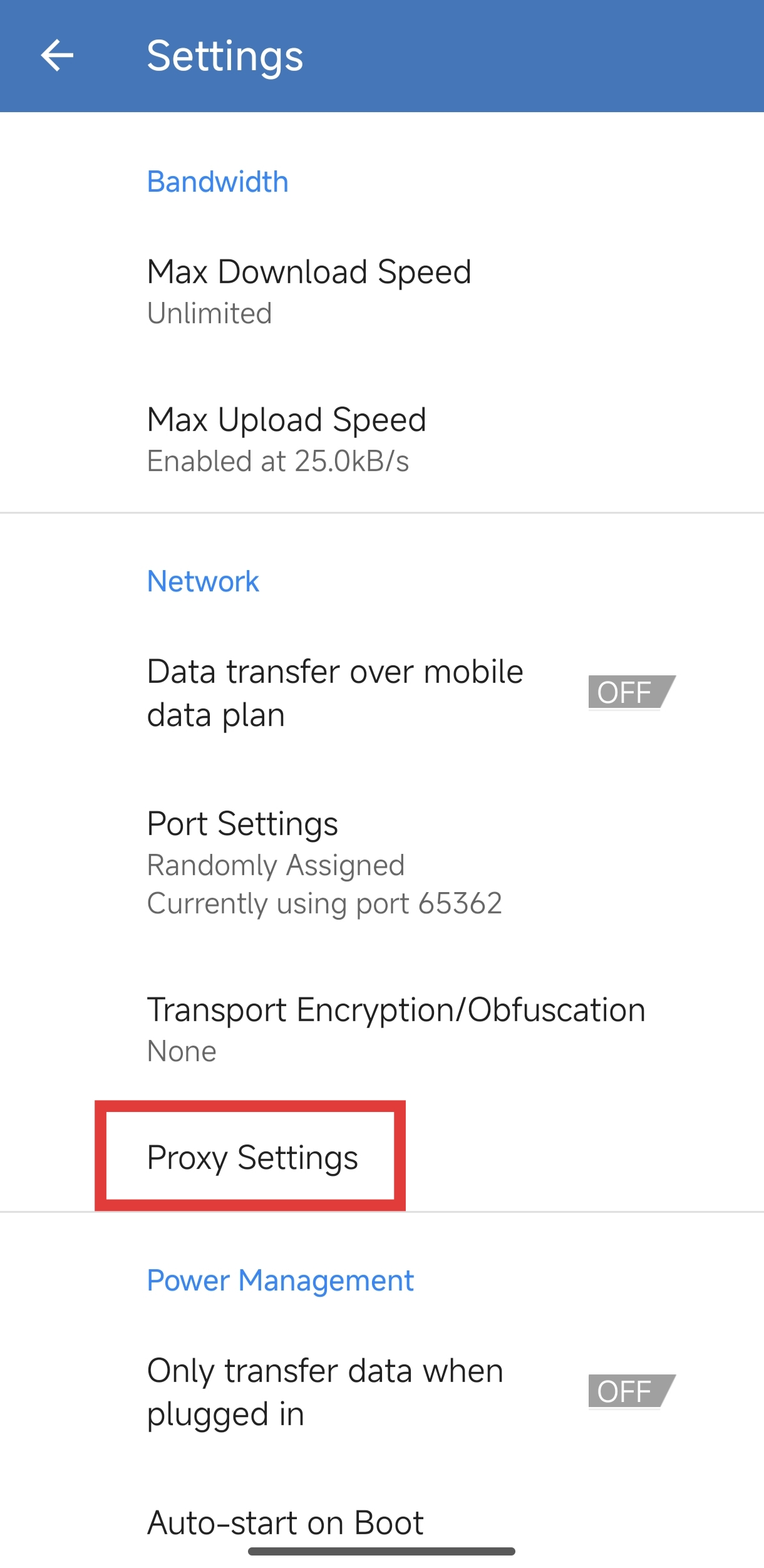
- 3. Select Proxy Settings.
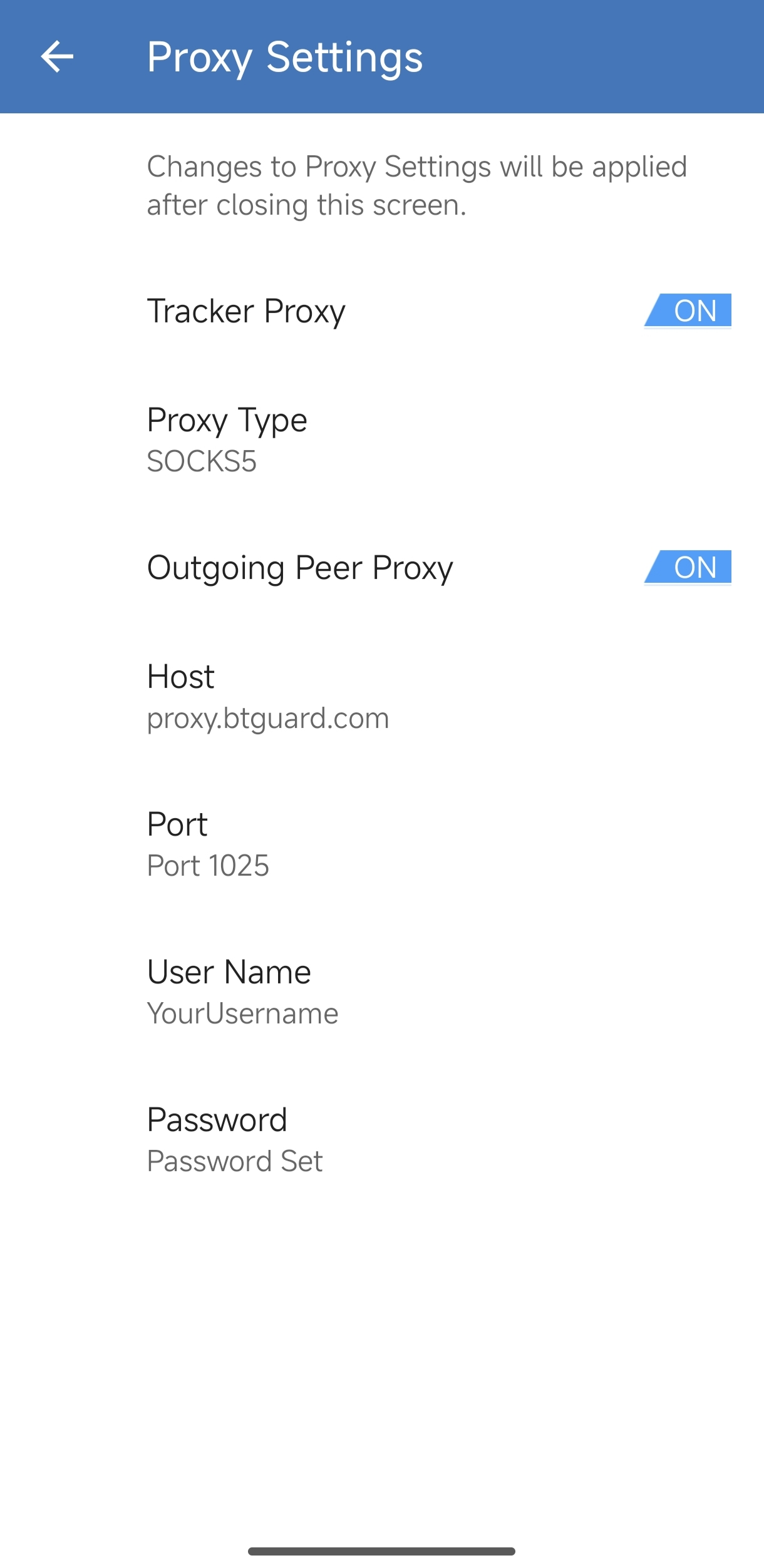
- 4. Turn ON Tracker Proxy and Outgoing Peer Proxy
- 5. Select Proxy Type: SOCKS5
- 6. Fill in the following
Host: proxy.btguard.com
You can also try with fix.btguard.com or ca.btguard.com
Port: 1025
Username: YourUsername
Password: YourPassword
Both username and password are case sensitive. Make sure not to add/forget Capital Letters.
SPEED TEST TORRENT. This is a very fast torrent that will allow you to perform an accurate speed test.
CHECK MY TORRENT IP. This will allow you to confirm your Torrent IP has been changed.