 BTGuard
Recommended
SPEED TEST TORRENT. This is a very fast torrent that will allow you to perform an accurate speed test.
CHECK MY TORRENT IP. This will allow you to confirm your Torrent IP has been changed.
qBittorrent
Setup Instructions
- 1. Download qBittorrent
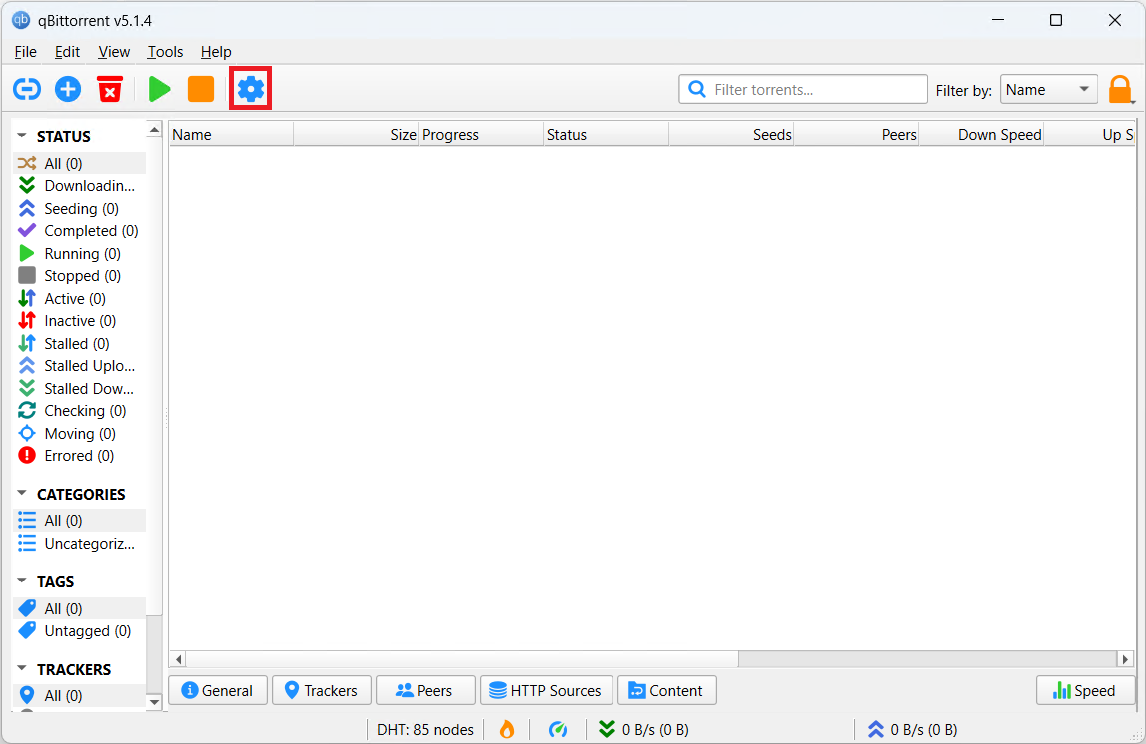
- 2. Click on the Settings icon or hit Alt + O.
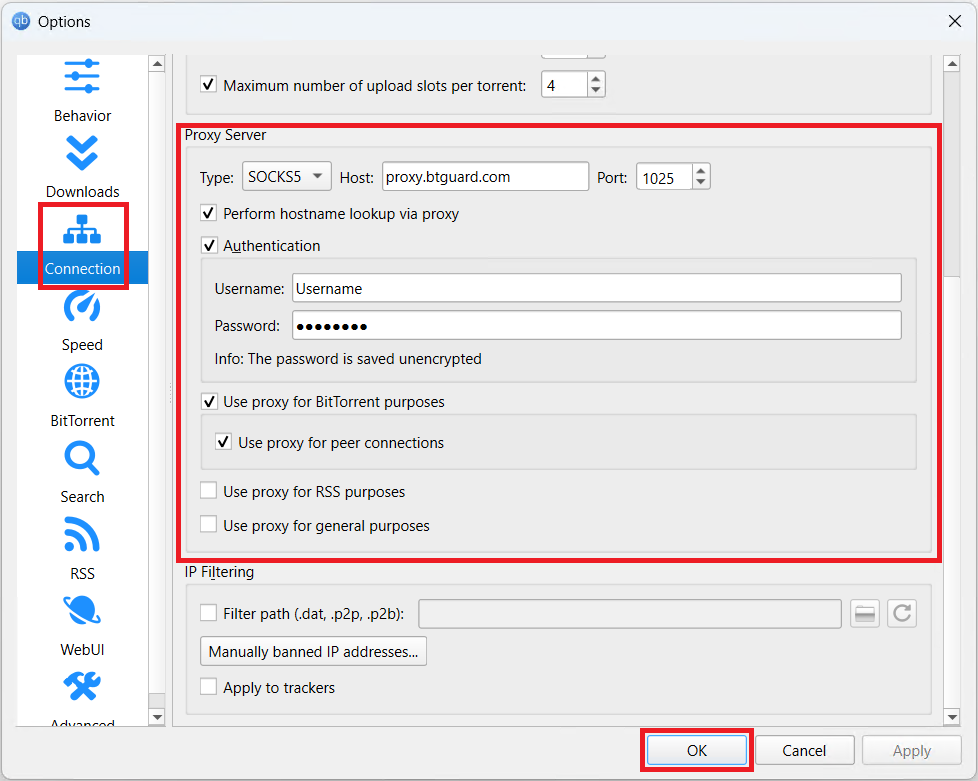
- 3. Select Connection on the left side.
- 4. Under Proxy Server enter the following information:
Type: Socks5
Host: proxy.btguard.com
You can also try with fix.btguard.com or ca.btguard.com
Port: 1025
Checkmark Use proxy for BitTorrent purposes
Checkmark Use proxy for peer connections
Username: YourUsername
Password: YourPassword
Both username and password are case sensitive. Make sure not to add/forget Capital Letters. - 5. Click OK and restart qBittorrent
SPEED TEST TORRENT. This is a very fast torrent that will allow you to perform an accurate speed test.
CHECK MY TORRENT IP. This will allow you to confirm your Torrent IP has been changed.