 BTGuard
Recommended
SPEED TEST TORRENT. This is a very fast torrent that will allow you to perform an accurate speed test.
CHECK MY TORRENT IP. This will allow you to confirm your Torrent IP has been changed.
BTGuard qBittorrent Easy Install
Setup Instructions
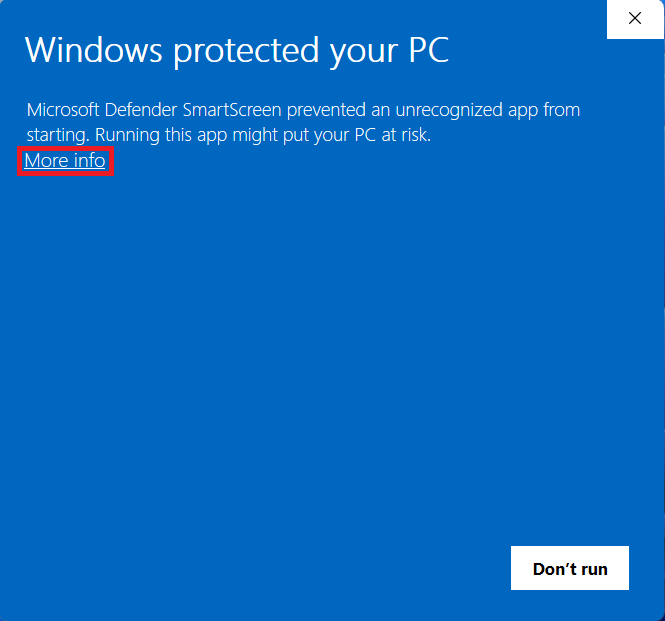
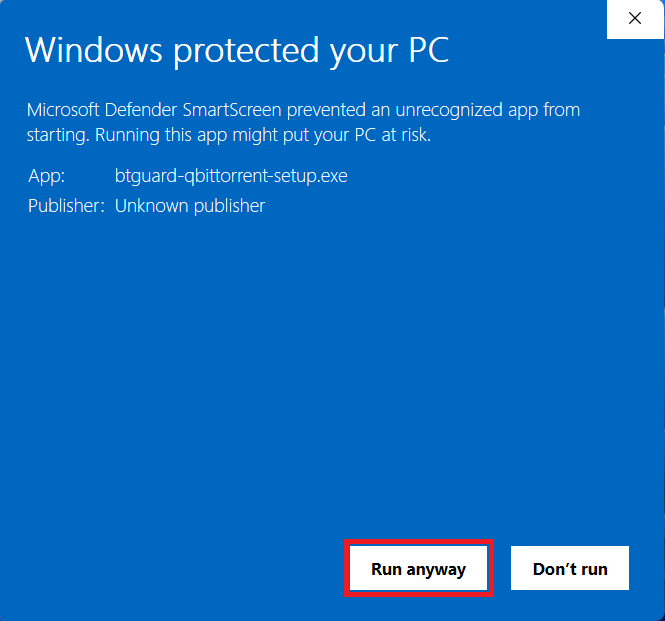
This version of qBittorrent will be automatically configured with our proxy settings for your convenience. The qBittorrent software has not been modified in any way, we have just added an auto config tool which might get flagged by SmartScreen. If you prefer, you can manually setup qBittorrent.- 1. Download BTGuard qBittorrent Setup and run it.
- 2. Click on More info
- 3. Click on Run anyway
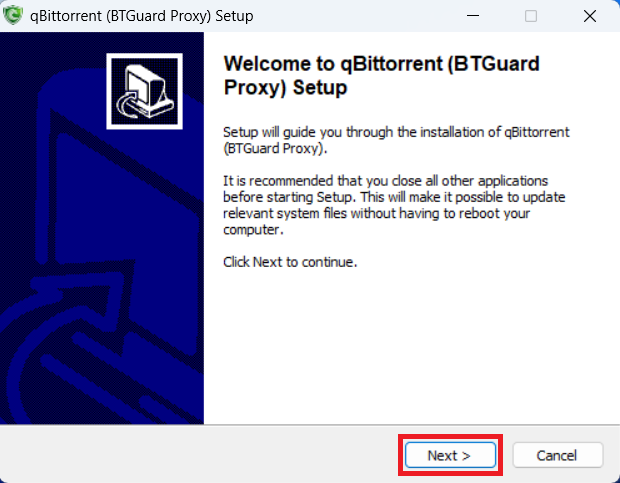
- 4. Click on Next
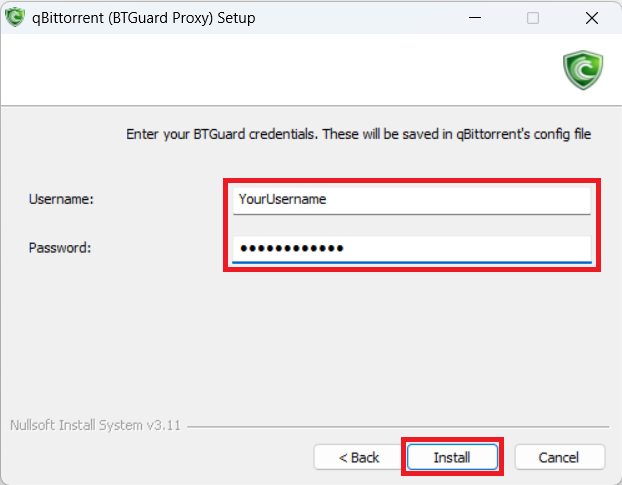
- 5. Fill in YourUsername and YourPassword
Both username and password are case sensitive. Make sure not to add/forget Capital Letters. - 6. Click Install and click through the qBittorrent installation.
SPEED TEST TORRENT. This is a very fast torrent that will allow you to perform an accurate speed test.
CHECK MY TORRENT IP. This will allow you to confirm your Torrent IP has been changed.