 BTGuard
dd-wrt – WireGuard Guide
Setup Instructions
- 1. Go to the Wireguard config generator
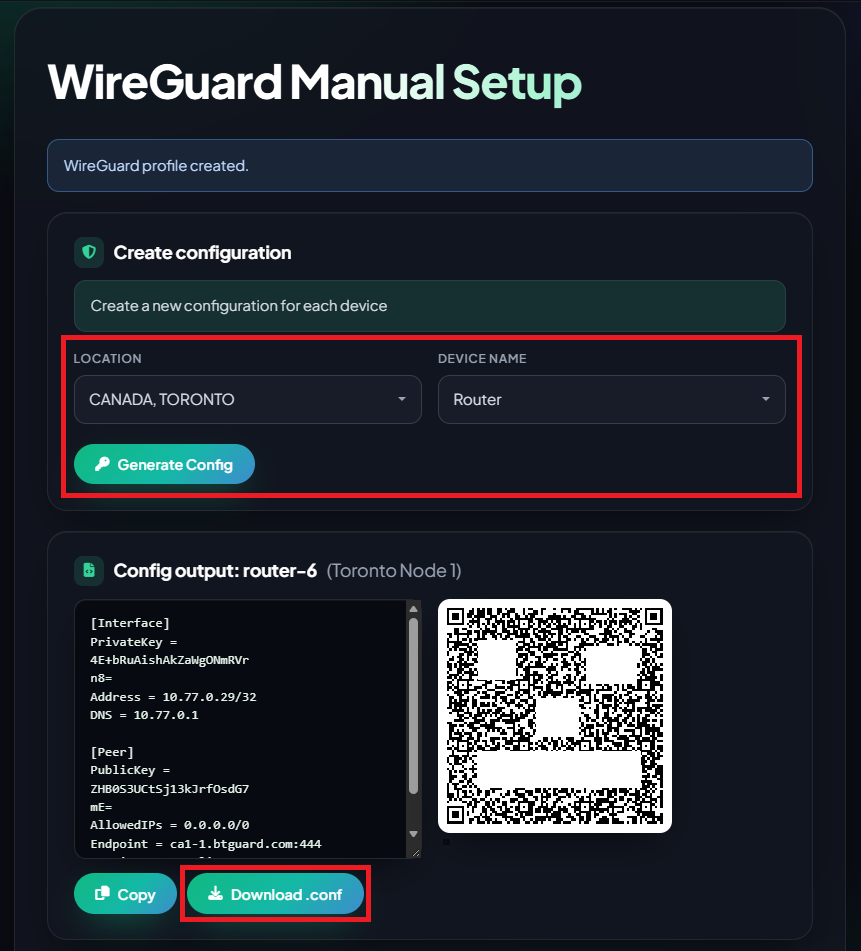
- 2. Select the Location you'd like to use and the Device Name
- 3. Click on Download .conf and save the file.
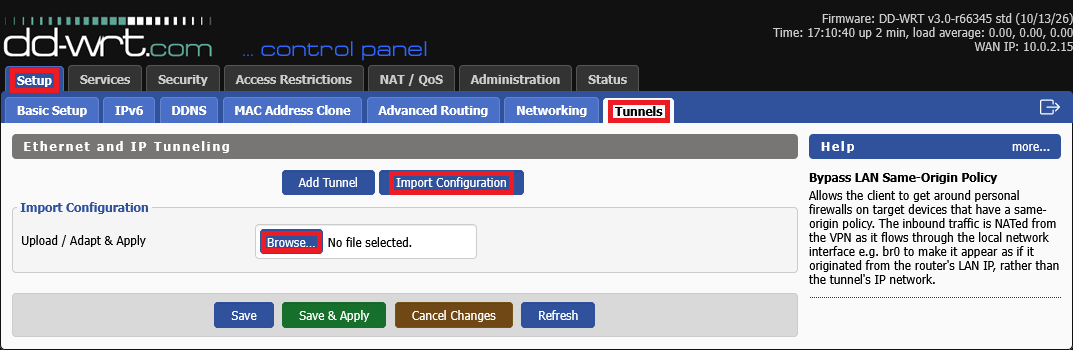
- 4. Login to your GL-iNet control Panel and go to Setup > Tunnels > Import Configuration then click on Browse...
- 5. Locate the .conf file you just downloaded hit Open.
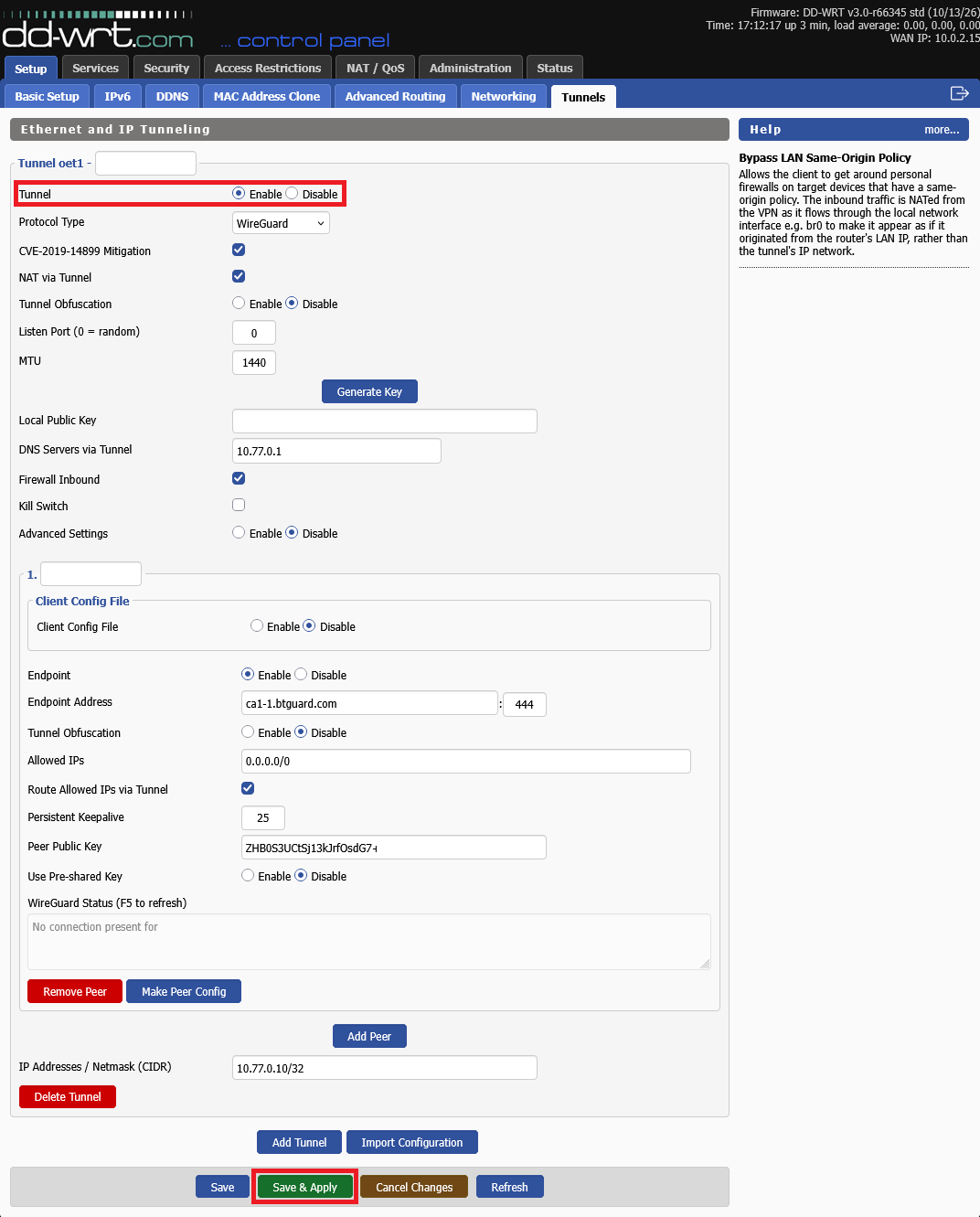
- 6. Make sure the tunnel is set to Enable then scroll to the bottom and hit Save & Apply.
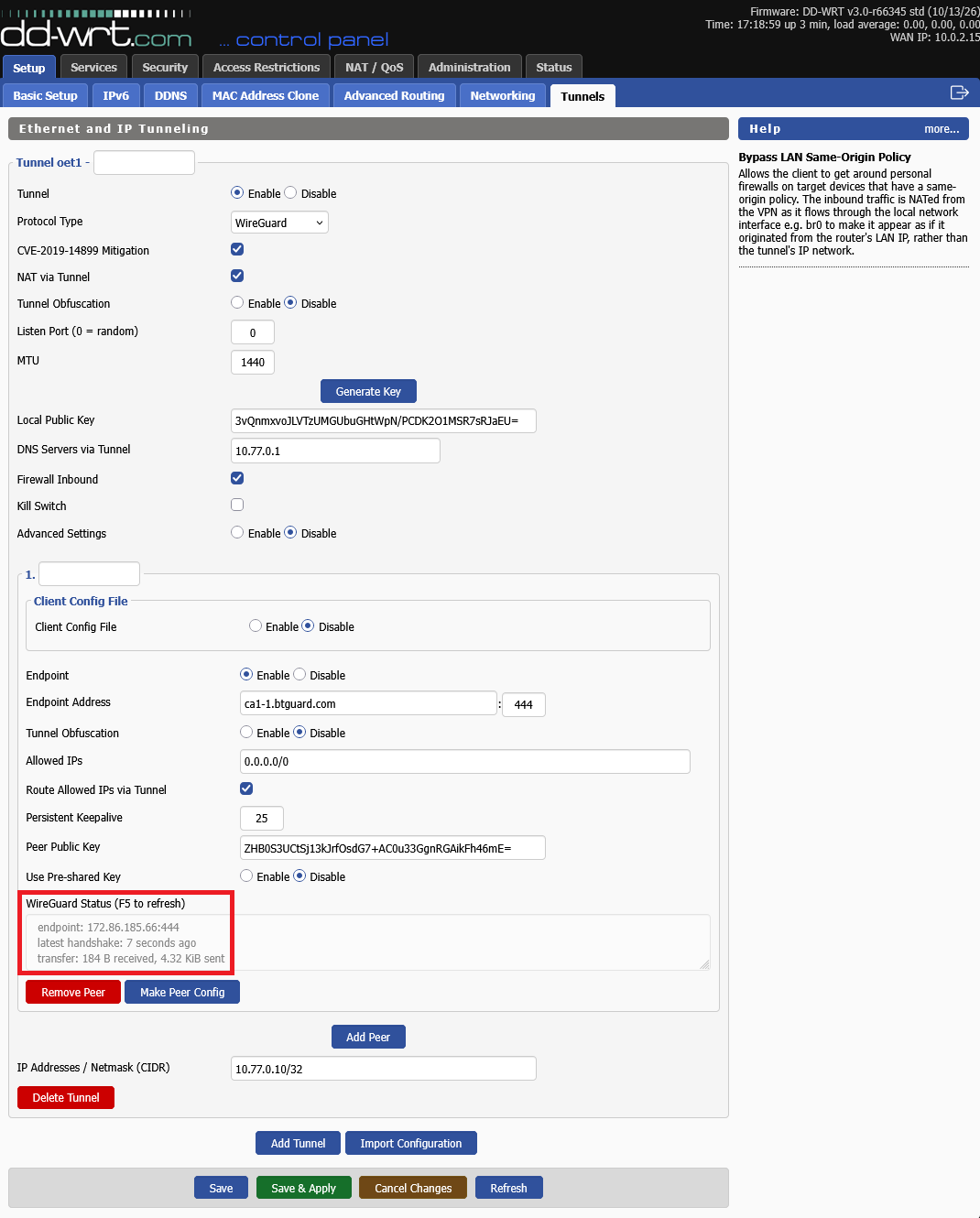
- 7. You are now Connected!