 BTGuard
GL-iNet – WireGuard Guide
Setup Instructions
- 1. Go to the Wireguard config generator
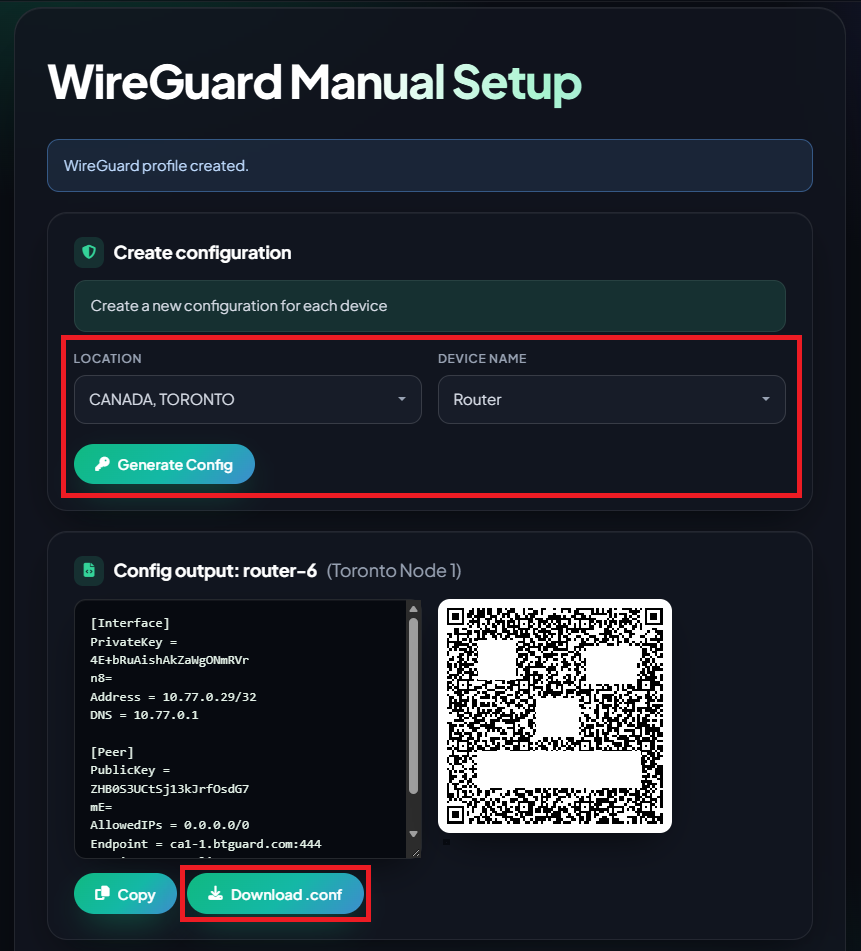
- 2. Select the Location you'd like to use and the Device Name
- 3. Click on Download .conf and save the file.
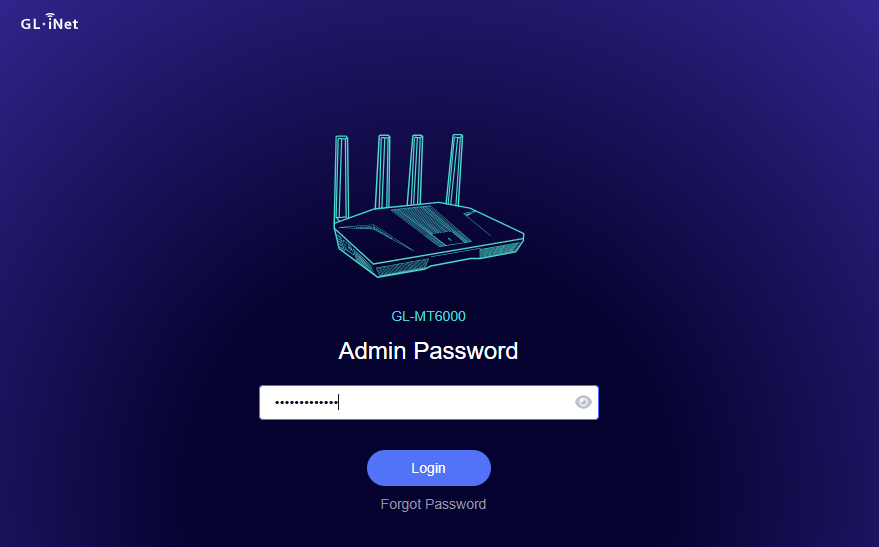
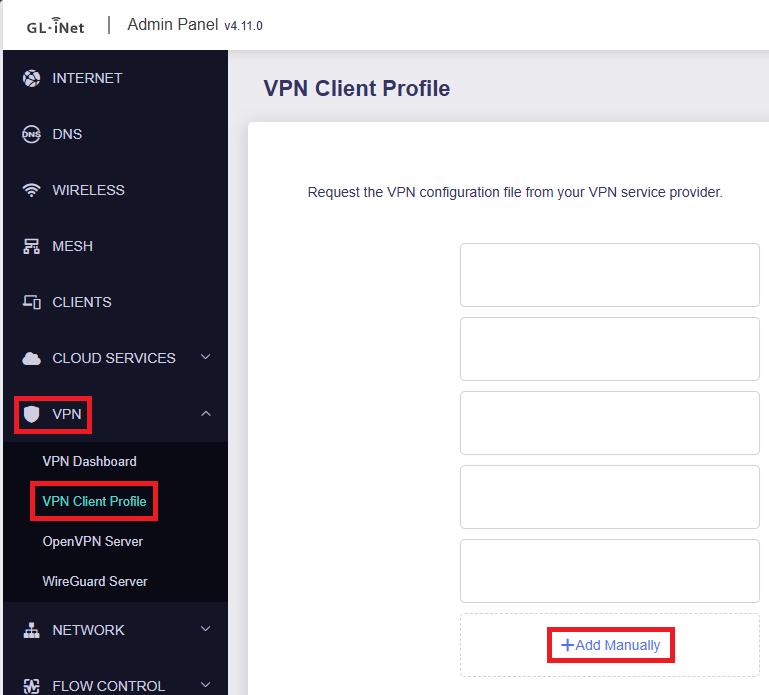
- 4. Login to your GL-iNet Admin Panel and go to VPN then VPN Client Profile then click on +Add Manually.
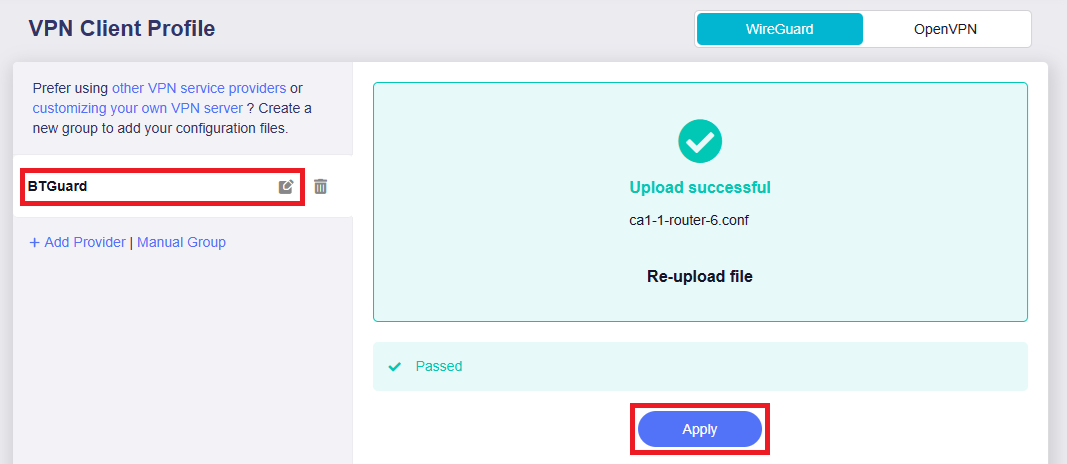
- 5. Locate the .conf file you just downloaded and load it in. You can also edit the name on the left if you'd like. (optional)
- 6. Hit Apply.
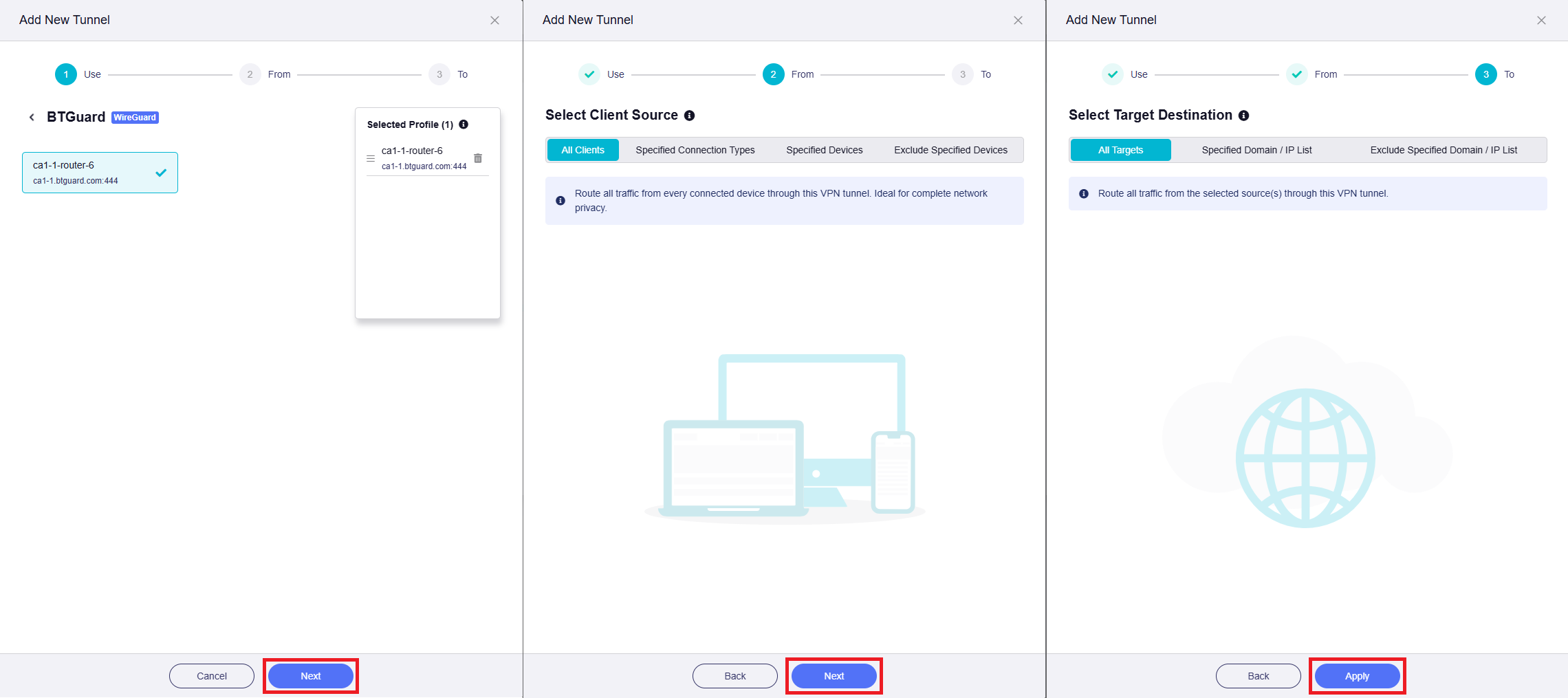
- 7. If you want to route all traffic from all devices through the VPN, just hit, Next, Next and Apply on the next 3 pages. If you only want specific devices or need specific rules, here is where you can tweak to your needs.
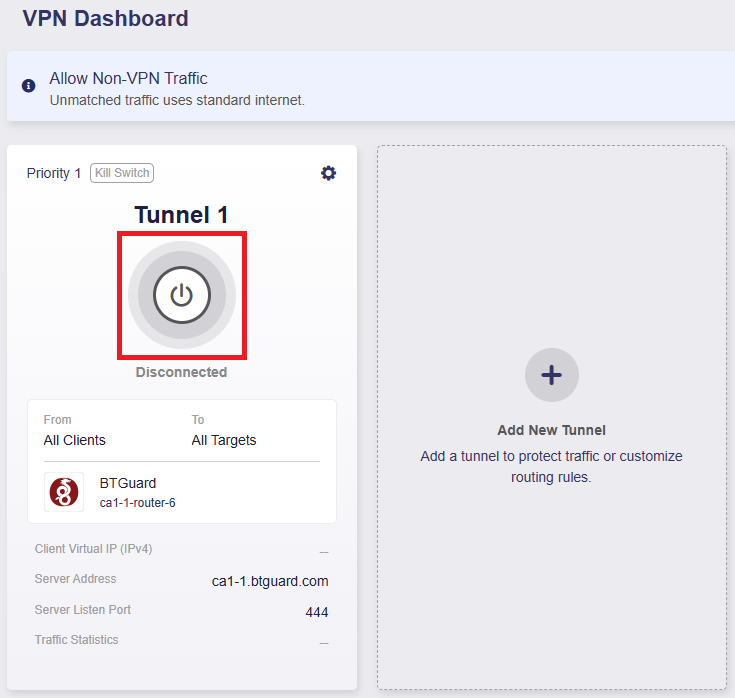
- 8. Click on the Power button to connect.
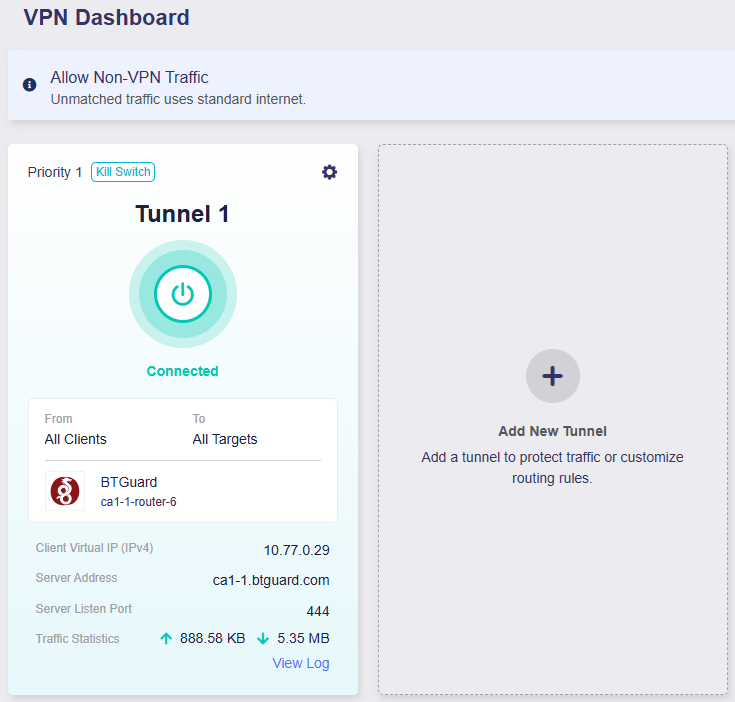
- 9. You are now Connected!