 BTGuard
qBittorrent VPN settings
Setup Instructions
- If you are using our VPN and qBittorrent without the proxy you NEED to bind the qBittorrent network interface to our VPN or else your IP WILL LEAK. By doing these steps, qBittorrent will only work if you're connected to our VPN.
- 1. First, make sure qBittorrent is closed (also double check that it didn't just minimize in the notification area) then open BTGuard VPN and connect to any server. Once you're connected, open qBittorrent.
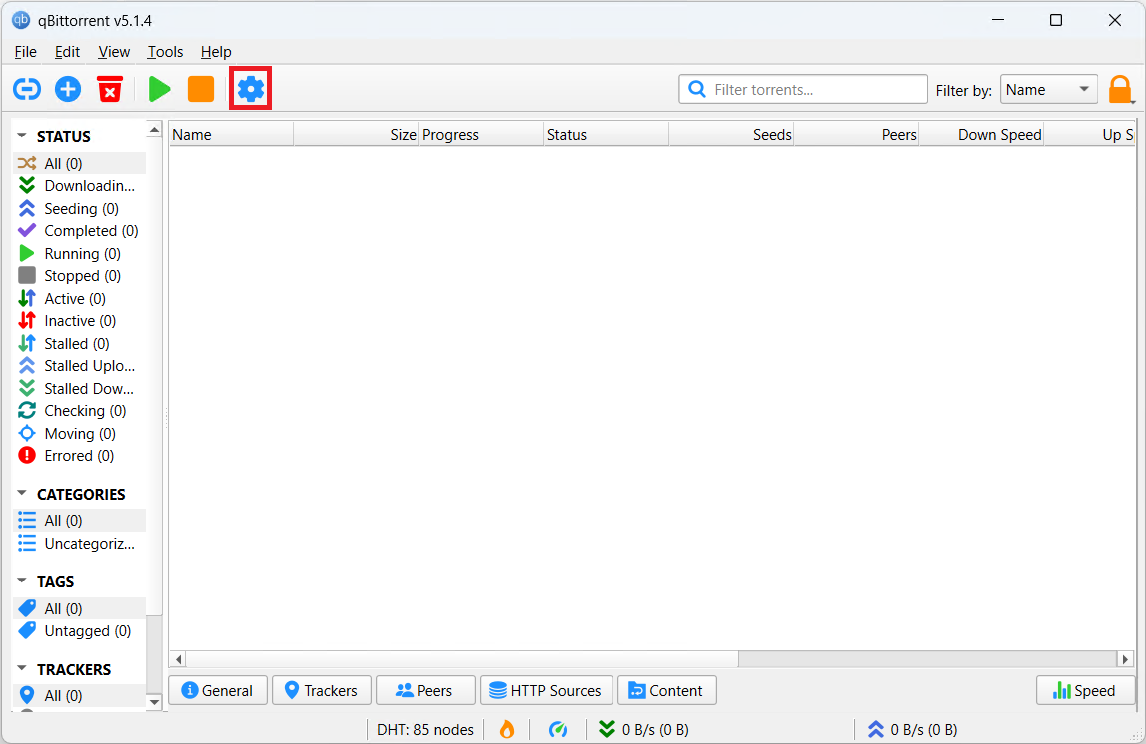
- 1. Click on the Settings icon or hit Alt + O.
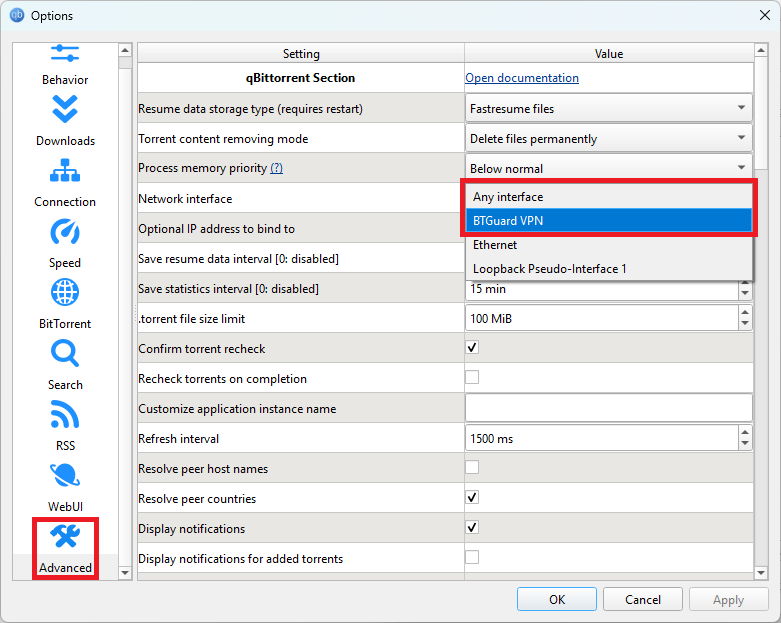
- 3. On the left, select Advanced at the bottom.
- 4. Click on Any interface next to Network interface and a drop down list will appear. The list will be longer then what you see above and different for everyone as each computer is different.
- 5. Select BTGuard VPN then hit Apply then OK.
- 6. IMPORTANT, fully close qBittorrent then reopen it.
- 7. To double check everything is working, confirm with the check my torrent ip tool below. Another way to check is to download the speed test torrent, and while that's downloading, disconnect from our VPN and the download should stop.
SPEED TEST TORRENT. This is a very fast torrent that will allow you to perform an accurate speed test.
CHECK MY TORRENT IP. This will allow you to confirm your Torrent IP has been changed.