 BTGuard
IKEv2 VPN Setup on Android
Setup Instructions
- 1. Download and install strongSwan VPN Client on your phone.


- 2. Go to our IKEv2 Certificate page and download the certificate for the location you'd like to connect to.


- 3. Tap on the 3 dots in the top right corner.
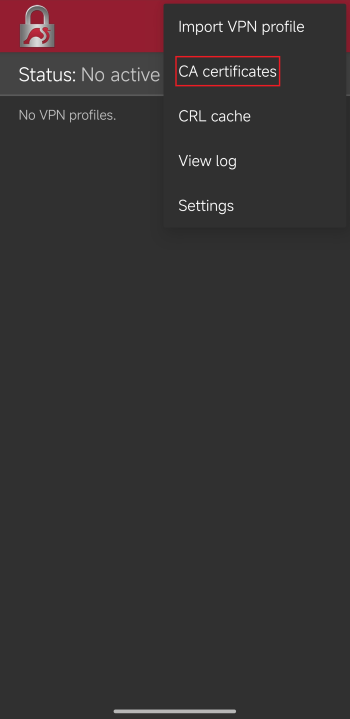
- 4. Tap on CA certificates.
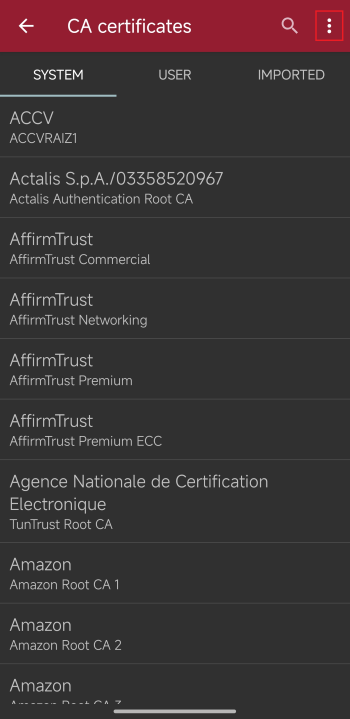
- 5. Tap on the 3 dots in the top right corner.
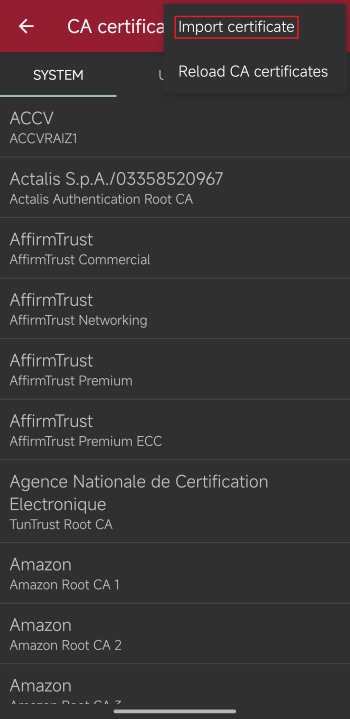
- 6. Tap on Import certificate.
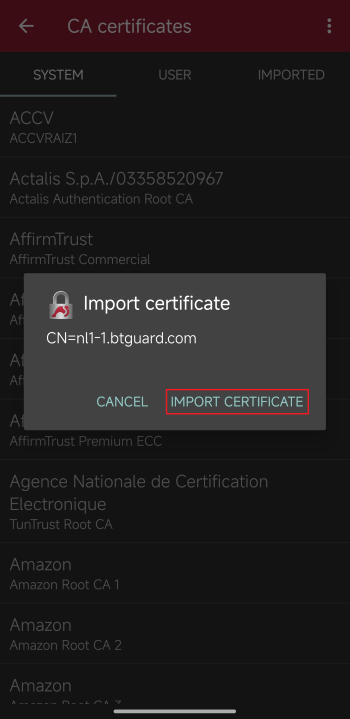
- 7. Locate and select the certificate previously downloaded then hit Import certificate.
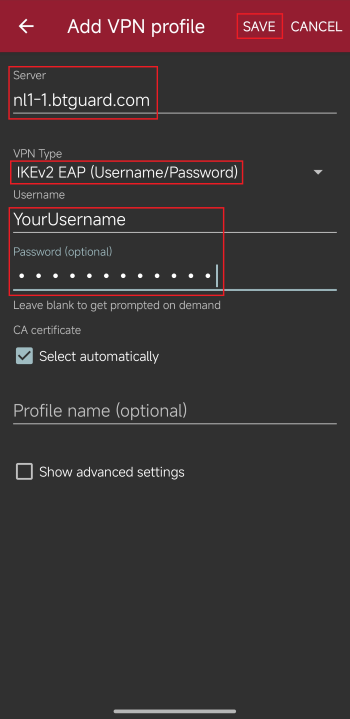
- 8. Go back to IKEv2 Certificate page and copy the gateway address from the location you chose previously and paste that in server.
- 9. Fill in the rest:
VPN Type: IKEv2 EAP
Username: YourUsernamePassword: YourPasswordBoth username and password are case sensitive. Make sure not to add/forget Capital Letters.
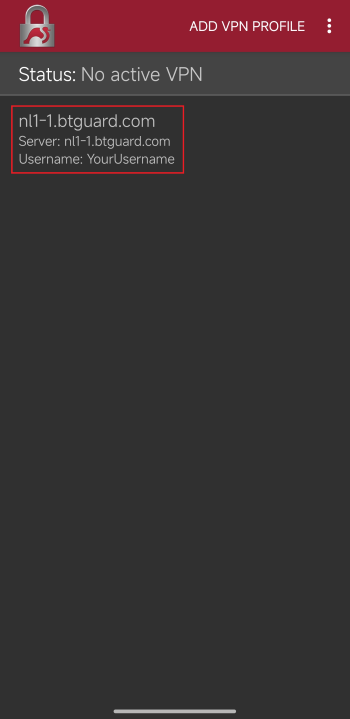 10. Tap on the profile you just created to connect.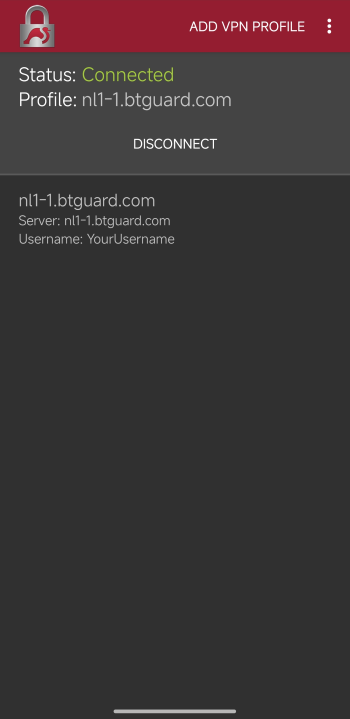
- You are now connected!