 BTGuard
Stealth VPN Setup on Android
Setup Instructions
- 1. Download and Install the latest version of Hiddify.


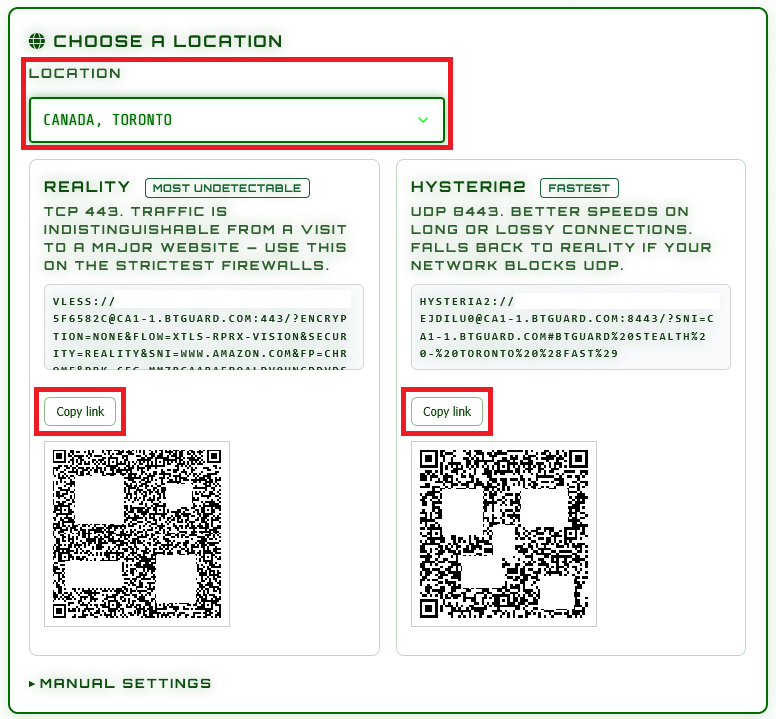
- 2. Go to the stealth config generator

- 3. Select the Location and Protocol you'd like to use.
(Try both Reality and Hysteria2) - 4. Tap on Copy link if you are looking at this guide from your phone or keep the page open on your computer for later.
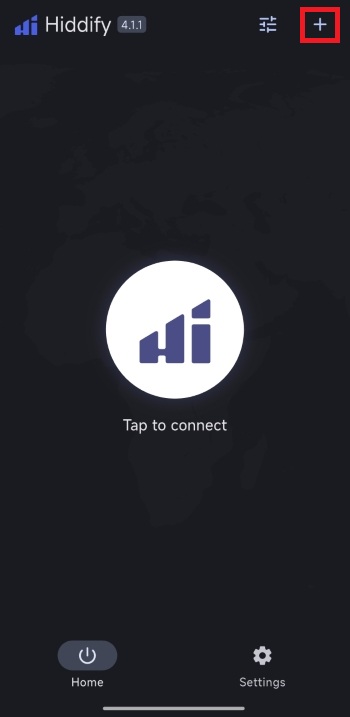
- 5. Open Hiddify and tap on the + icon in the top right corner.
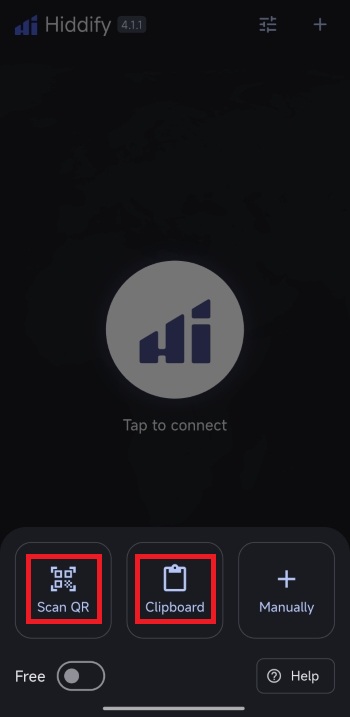
- 6. Select Scan QR if the guide is opened on your computer and scan the generated QR code on the stealth config generator page OR on Clipboard if you are doing all this from your phone.
(Repeat steps 3 to 6 for Hysteria 2 and extra locations)
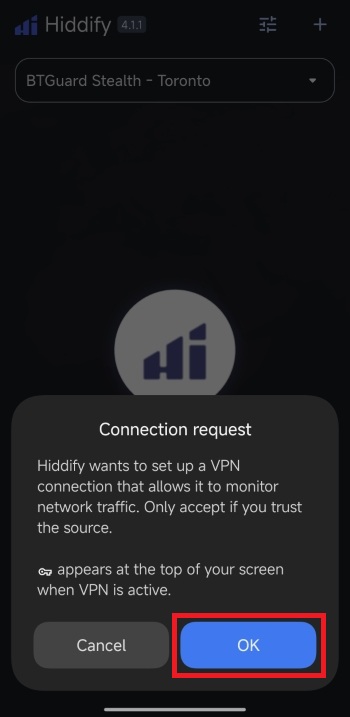
- 7. Tap on OK.
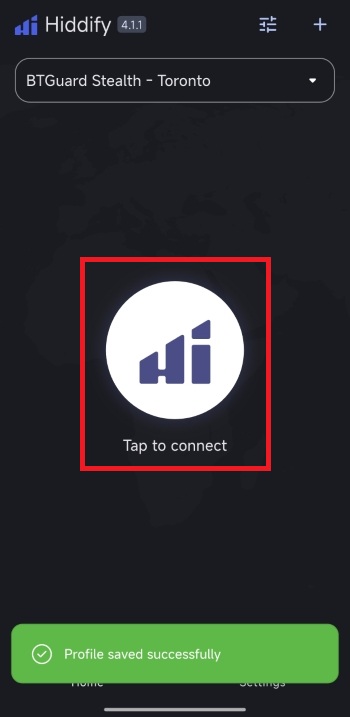
- 8. Tap on Tap to connect.
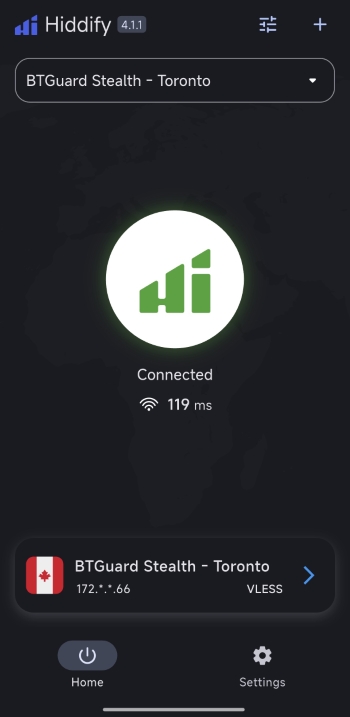
- You are now Connected!