 BTGuard
Stealth VPN Setup on macOS
Setup Instructions
- 1. Download and Install the latest version of Hiddify.
The pkg installer seems to be broken on some devices so we recommend using the dmg file.
An extra step is needed though. Once hiddify has been moved to the application folder, please open the terminal and paste this command:
sudo xattr -rd com.apple.quarantine /Applications/Hiddify.app
- 2. Go to the stealth config generator
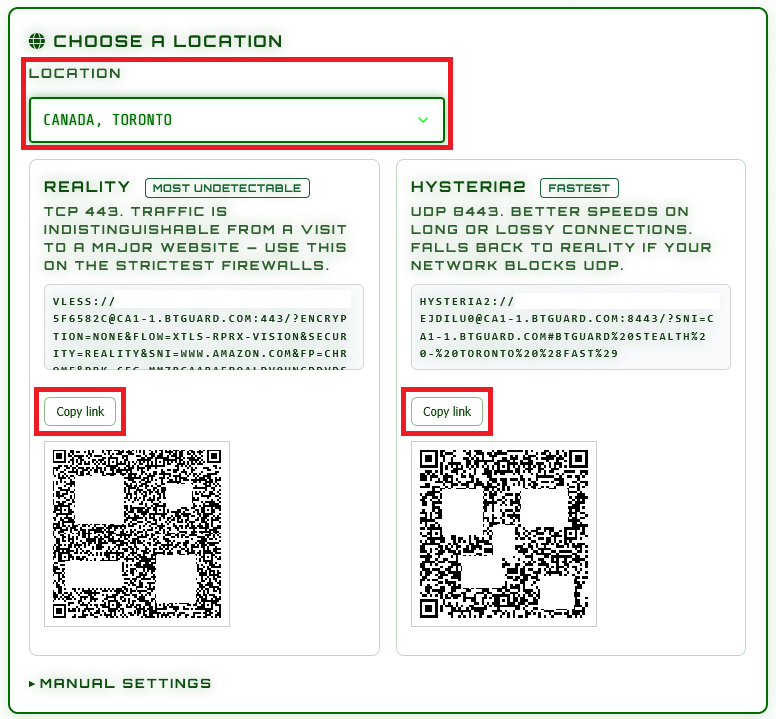
- 3. Select the Location and Protocol you'd like to use.
(Try both Reality and Hysteria2) - 4. Click on Copy link
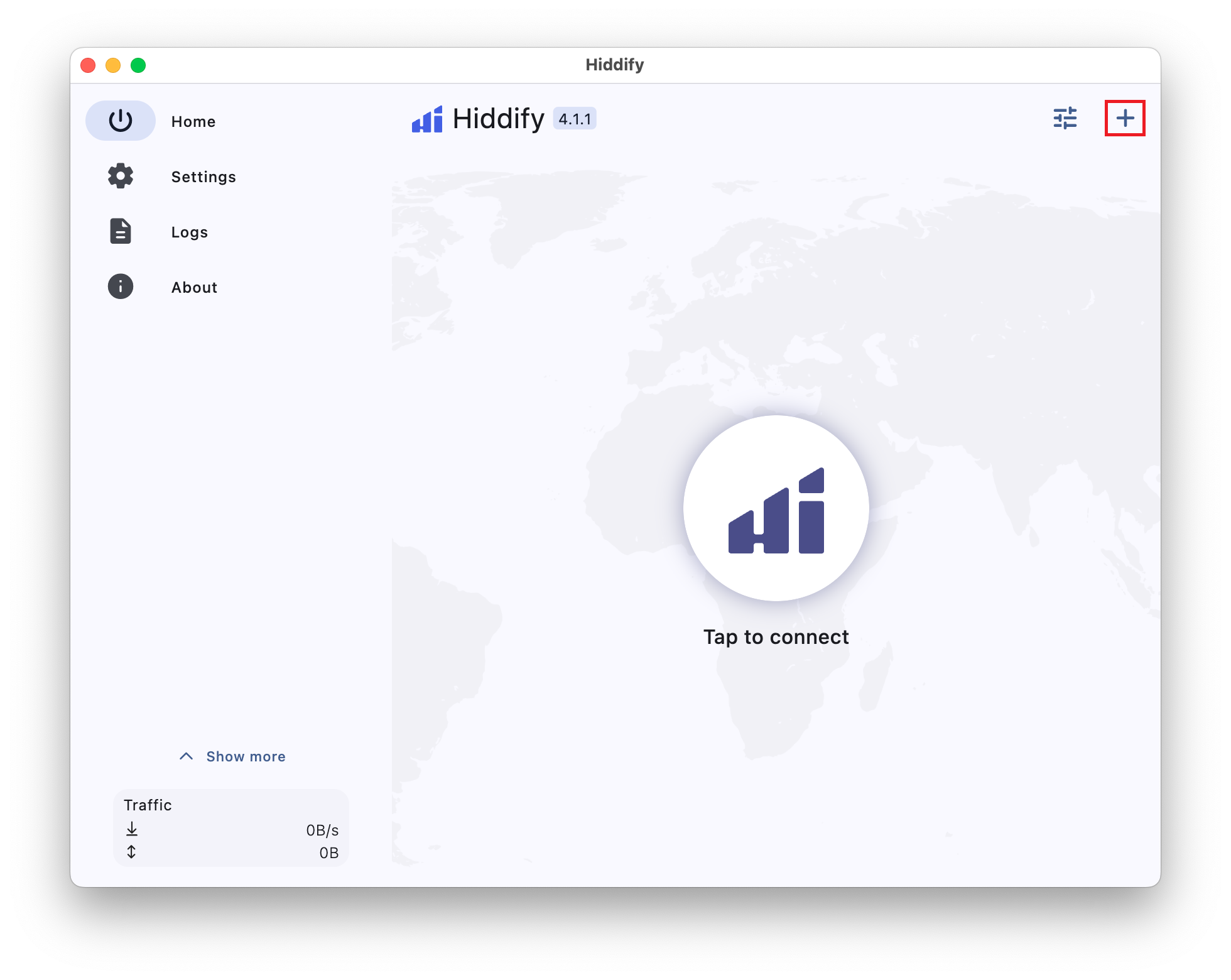
- 5. Open Hiddify and click on the + icon in the top right corner.
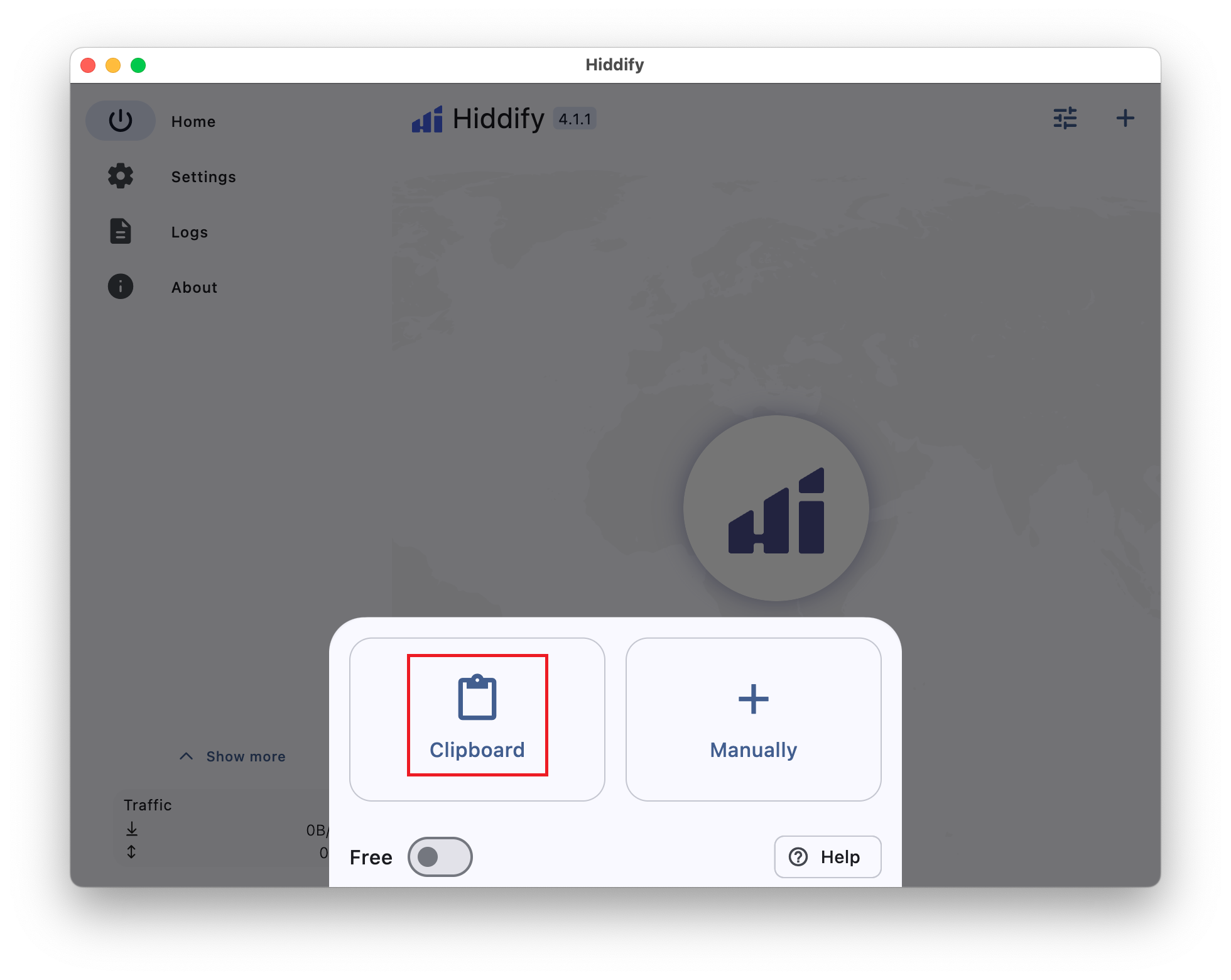
- 6. Select Clipboard.
(Repeat steps 3 to 6 for Hysteria 2 and extra locations)
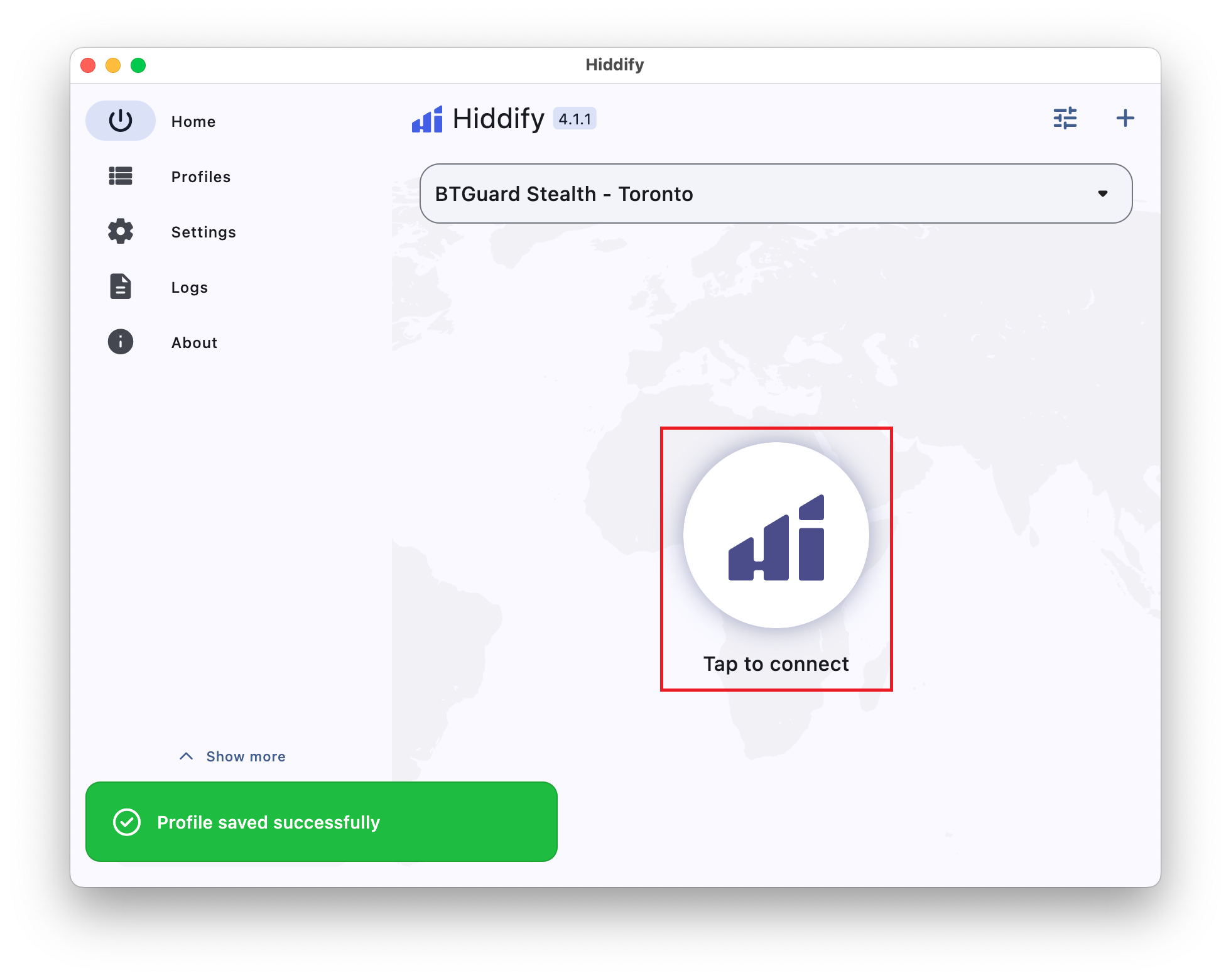
- 7. Click on Tap to connect.
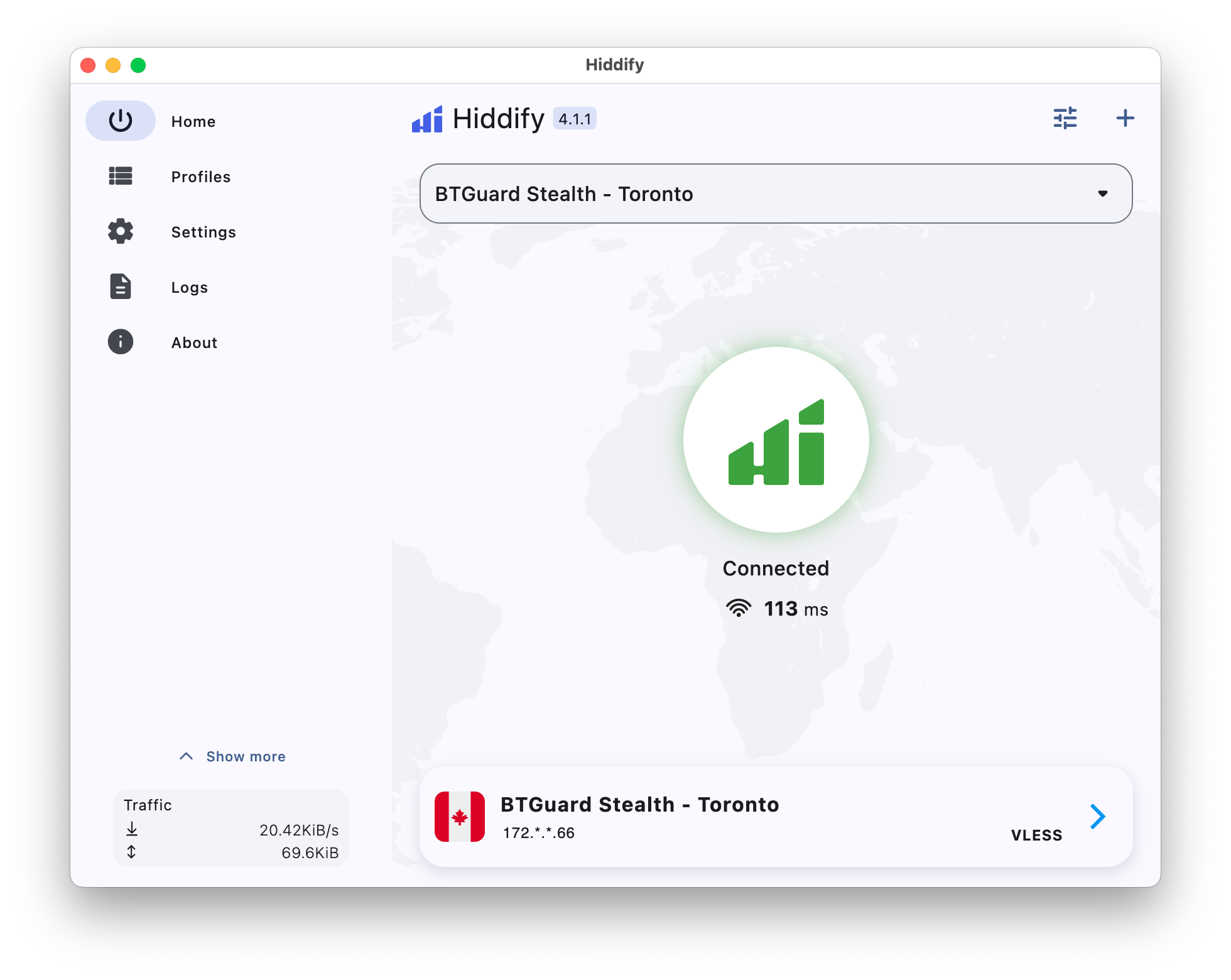
- You are now Connected!