 BTGuard
WireGuard VPN Setup on iOS
Setup Instructions
- 1. Download and install WireGuard from the App Store.


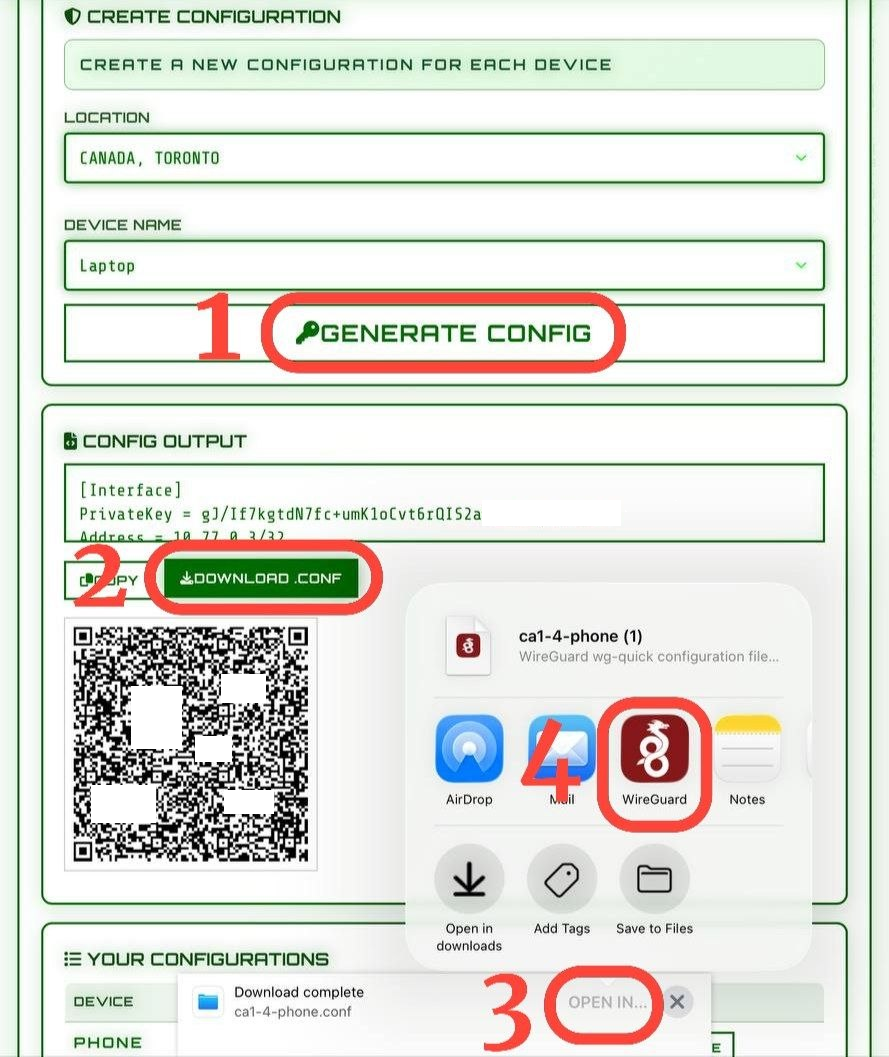
- 2. Go to the BTGuard WireGuard config generator.

- 3. Select a Location.
- 4. Follow the screenshot: Generate - Download - Open In - WireGuard
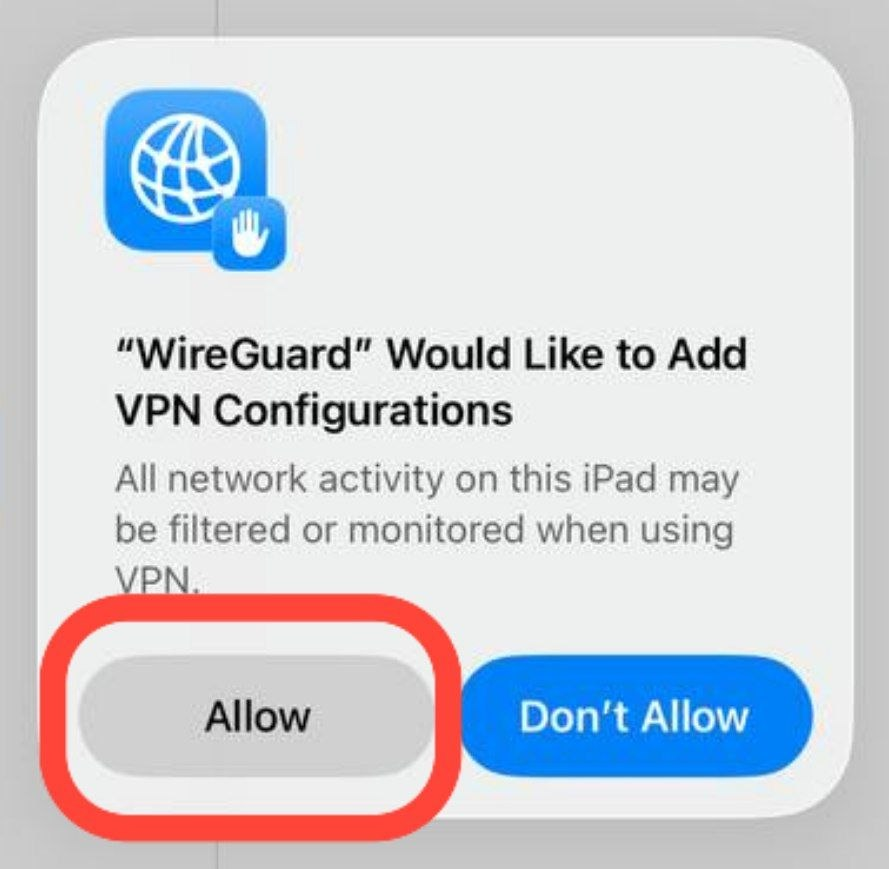
- 5. Tap Allow - That's it, your configuration is added!
How to connect
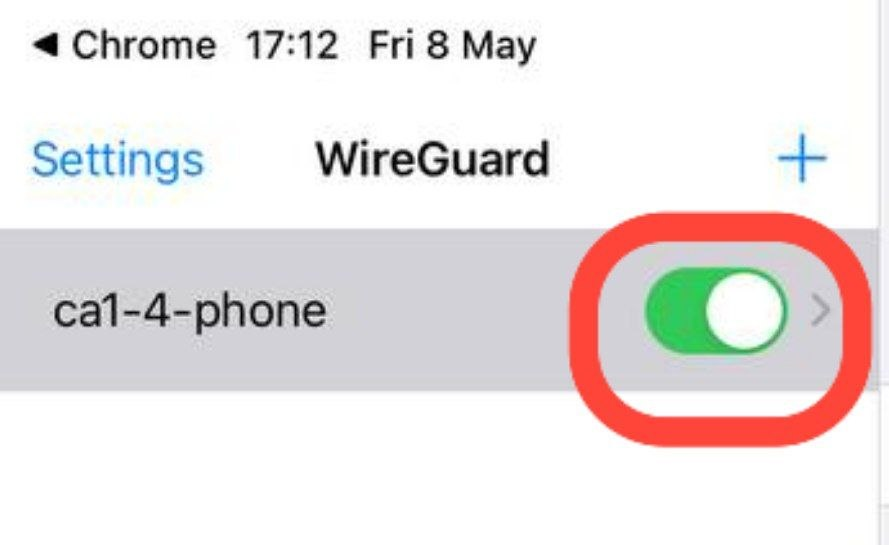
- 1. Open the WireGuard APP.
- 2. Tap the connection toggle and you're ONLINE!