 BTGuard
Linux Mint – WireGuard Guide
Setup Instructions
- 1. Go to the Wireguard config generator
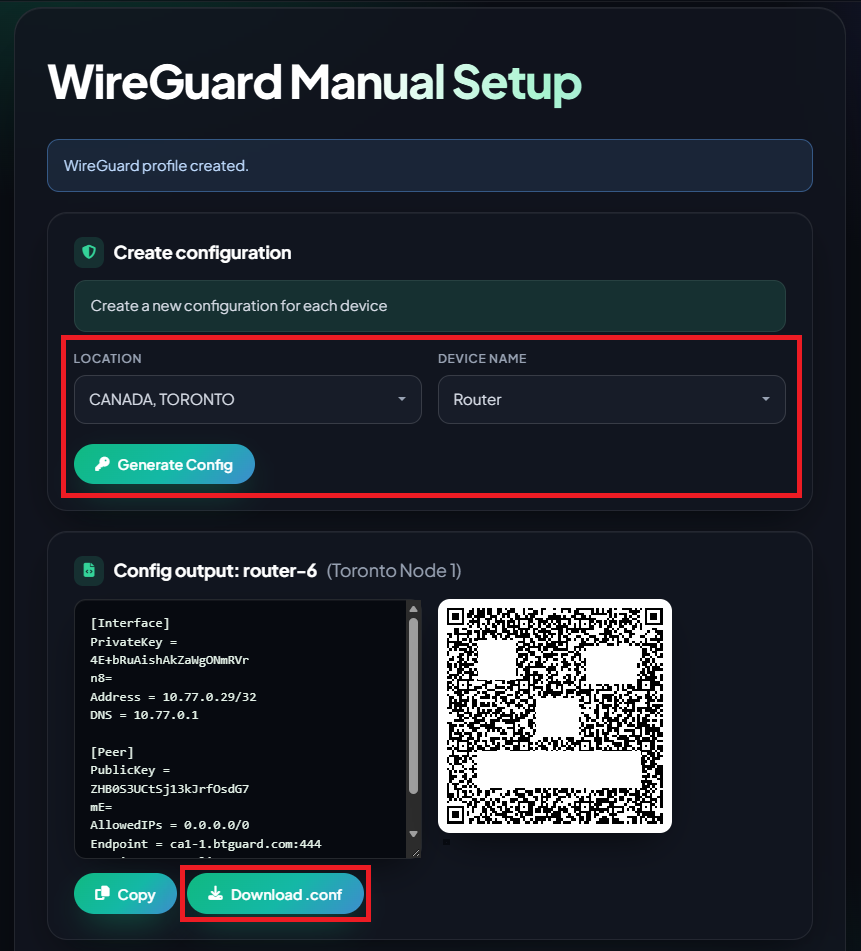
- 2. Select the Location you'd like to use and the Device Name
- 3. Click on Download .conf and save the file.
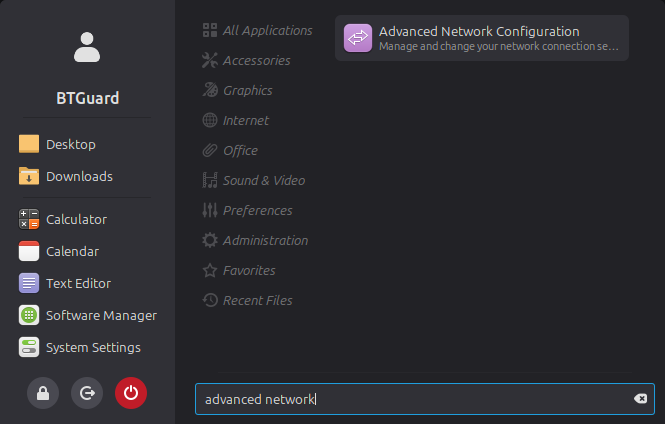
- 4. Open your application menu, search for Advanced Network Configuration and open that.
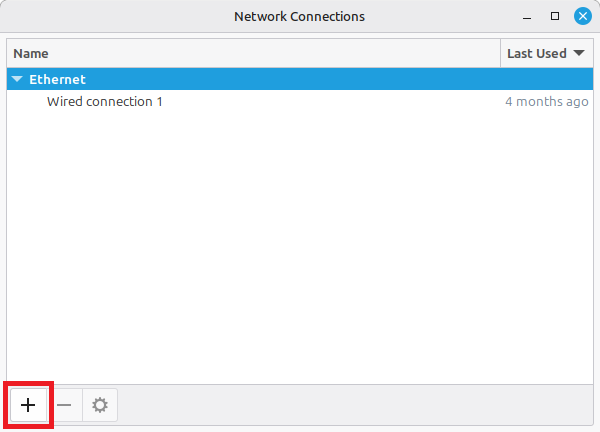
- 5. Click the + button at the bottom left of the window.
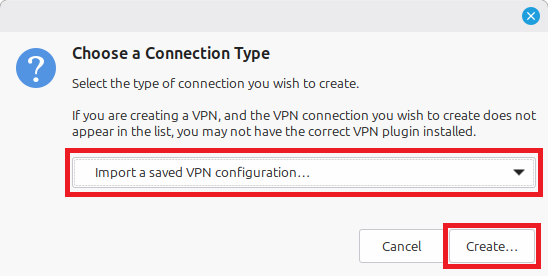
- 6. Choose Import a saved VPN configuration from the dropdown menu and click Create...
- 7. Locate and select your .conf file you just downloaded and click Open.
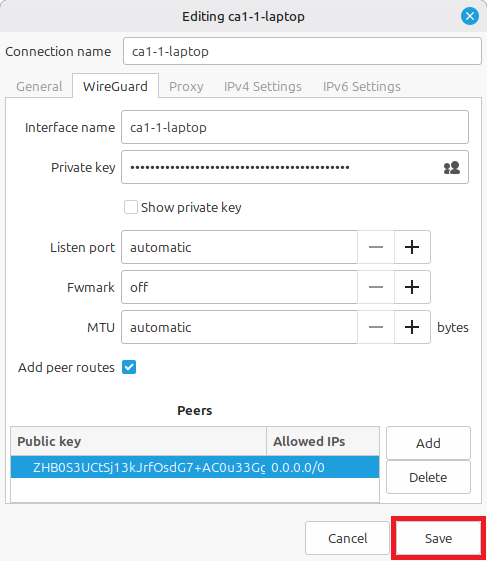
- 8. Review the details in the settings window and click Save.
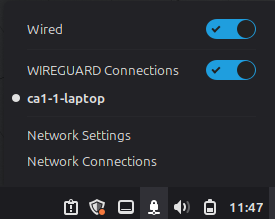
- 9. Click on Wireguard Connections from your desktop system tray network menu and you are now Connected!
If you're using qBittorrent, change these settings.