 BTGuard
Router – WireGuard Guide
Setup Instructions
Here are Instructions for some specific Router Firmwares:
- OpenWRT
- dd-wrt
- Gl-iNet
For General Instructions
- 1. Go to the Wireguard config generator
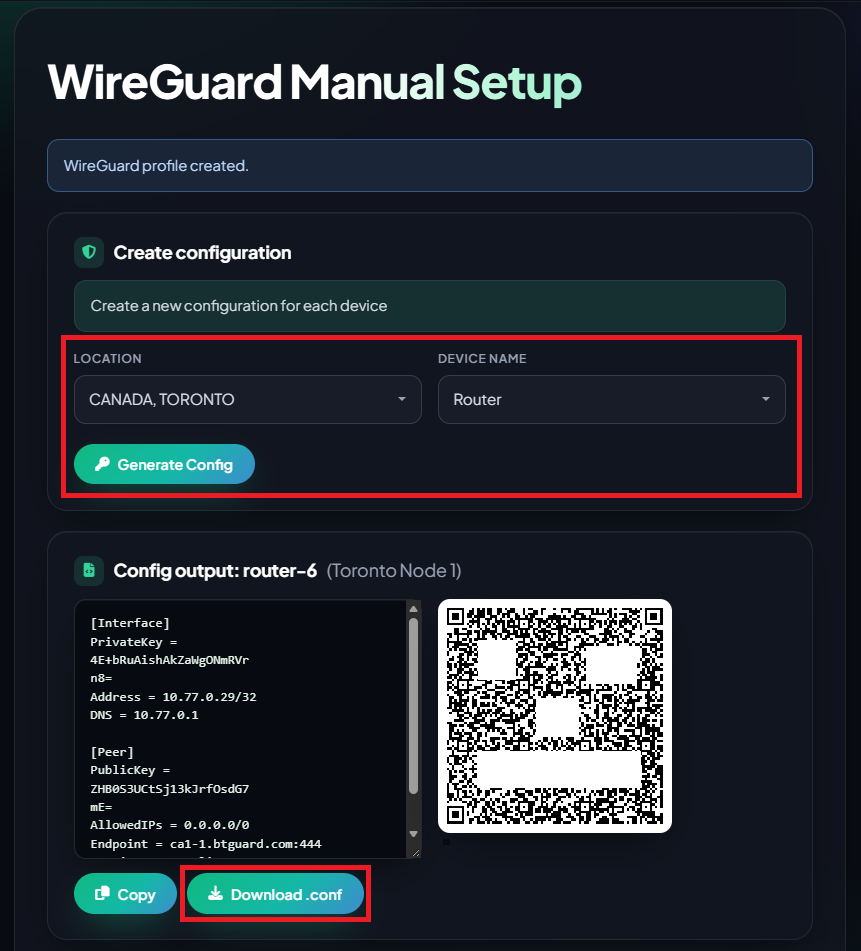
- 2. Select the Location you'd like to use and the Device Name
- 3. Click on Download .conf and save the file or hit Copy.
- 4. Login to your routers Admin Panel,
- 5. Go to wherever the Wireguard settings are and find an import/upload/load configuration option or somewhere to Paste the config text.
- 6. Locate the .conf file you just downloaded and load it in or Paste the config text.
- 7. You might need to enable/start the VPN and that should be it.